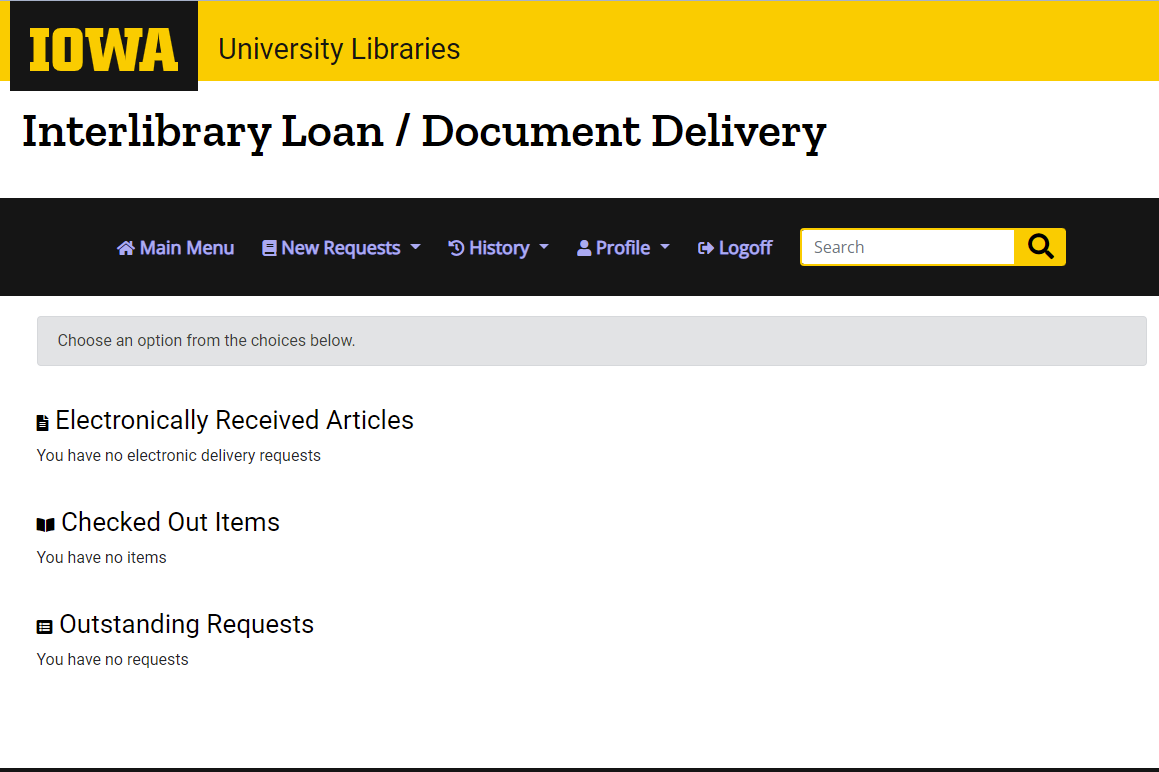
Have you ever used interlibrary loan? If you haven’t, now is a great time to check it out! A new interface has been launched making it even easier for you to request the items you need. First, visit the website of any University of Iowa library, this can be your branch library (like Engineering) or Main Library. At the top, hover over “My Library” and select “My Interlibrary Loan.” Click the button that says “Log in to Interlibrary Loan & Document Delivery” and enter your Hawk ID. You are now ready to request any book, chapter, article, or other material you need. This updated interface removes any additional clicking or typing, so you can make your request or check in on any existing ones and move on with your day. Try it out for yourself and if you have any comments or questions, don’t hesitate to reach out to Interlibrary Loan Office at 319-335-5917 or lib-ill@uiowa.edu
This week’s blog is from Keegan Hockett, who curated this exhibit. Keegan Hockett is a graduate music student pursuing his Doctor of Musical Arts degree in Bassoon Performance and Pedagogy with a secondary area in musicology. He also works as a research assistant for the Office of Community Engagement, finding opportunities for UI students who wish to engage with their local communities.
Listening to recorded music in our day and age is a simple process that is easy to take for granted. For many of us, it looks something like this:
Step 1: Choose your preferred device
Step 2: Open your music library or favorite streaming service
Step 4: Search for a band, song, genre, etc.
Step 5. Hit Play
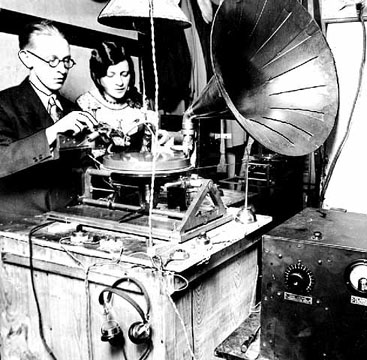
Digital audio formats allow music to be at our fingertips, but this ease of access has been a long journey in the making – sound could be recorded and reproduced as early as 1877! Early recordings were made using an analog, mechanical process, but these “records” had many limitations. Sound quality, storage capacity, and longevity have all improved through engineering innovations, whether they be electrical, chemical, or mechanical. Some recordings formats were short-lived and have been largely forgotten but others remain ubiquitous in contemporary culture. Vinyl records, cassette tapes, and CDs are made of different materials, have different forms, and work in different ways, but each are capable of holding sounds captured from a moment in time. To learn more about how these formats work, check out the Lichtenberger Engineering Library’s newest exhibit on recording technologies! Additional resources on acoustics and sound engineering are available in our stacks downstairs.
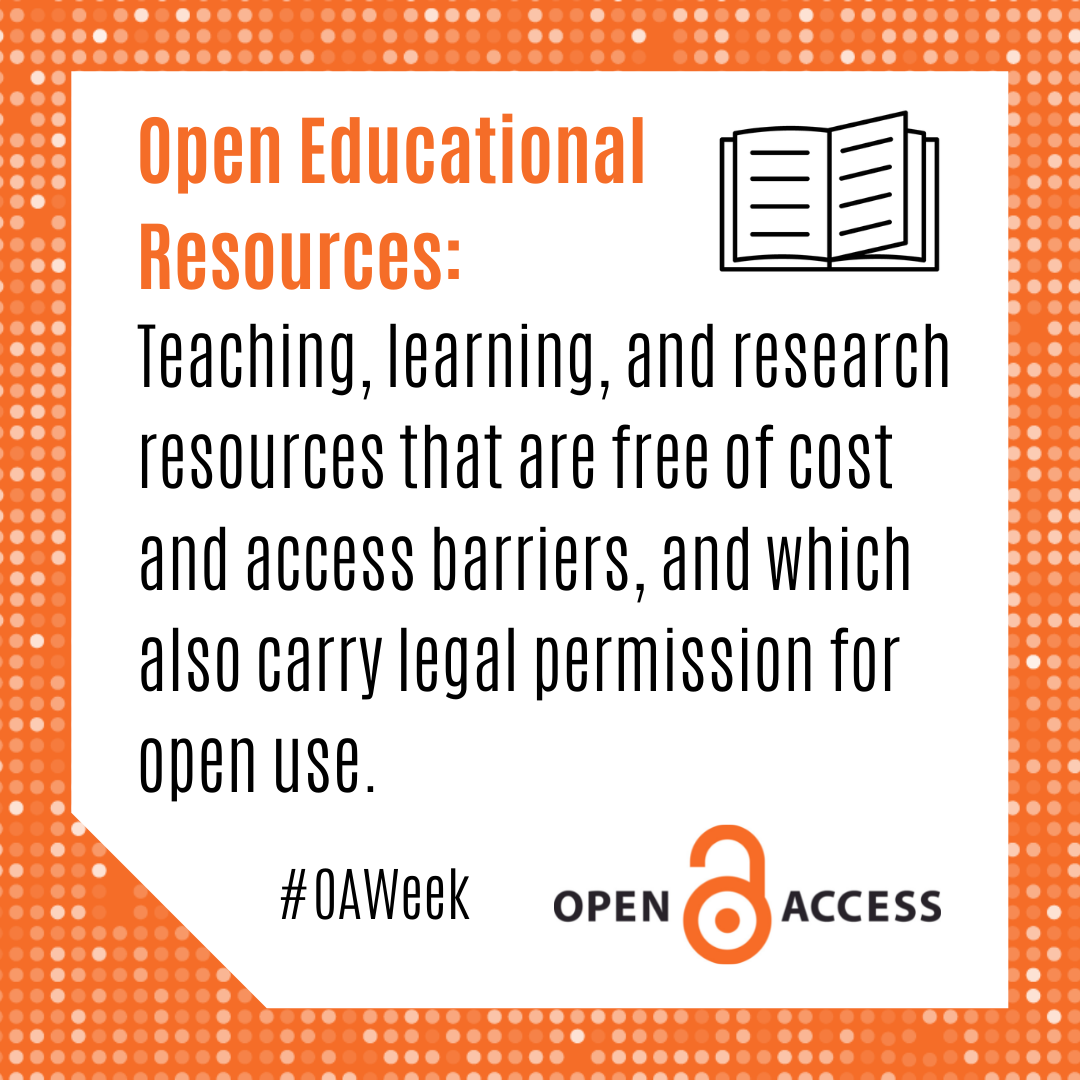
One of the best kept secrets of education are Open Educational Resources. The University of Iowa’s adopted definition is: “Open Educational Resources (OER) are teaching, learning, and research resources that are free of cost and access barriers, and which also carry legal permission for open use. Generally, this permission is granted by use of an open license (for example, Creative Commons licenses)” These can be videos, images, and audio recordings that can be used to enhance your teaching. You may already be using them – like TED Talks, or images from Flickr!
OER make teaching accessible, but you aren’t limited to using resources in the way they are found. Because of their public domain or creative copyright licenses, users are able to use them for the 5 R’s: Retain, Reuse, Revise, Remix, and Redistribute. From the UI LibGuide on OER these are defined as:
Retain – the right to make, own, and control copies of the content (e.g., download, duplicate, store, and manage)
Reuse – the right to use the content in a wide range of ways (e.g., in a class, in a study group, on a website, in a video)
Revise – the right to adapt, adjust, modify, or alter the content itself (e.g., translate the content into another language)
Remix – the right to combine the original or revised content with other material to create something new (e.g., incorporate the content into a mashup)
Redistribute – the right to share copies of the original content, your revisions, or your remixes with others (e.g., give a copy of the content to a friend)
By contributing your remixed work to OER resources, you can help further the cycle of Open Access. What are some ways you have used OER? Let us know in the comments below!
Thanks for following along for our celebration of Open Access Week. We hope you have learned something that will help you to further your learning, research, and life. If you have any questions about Open Access, don’t hesitate to reach out. You can find us through our contact page.
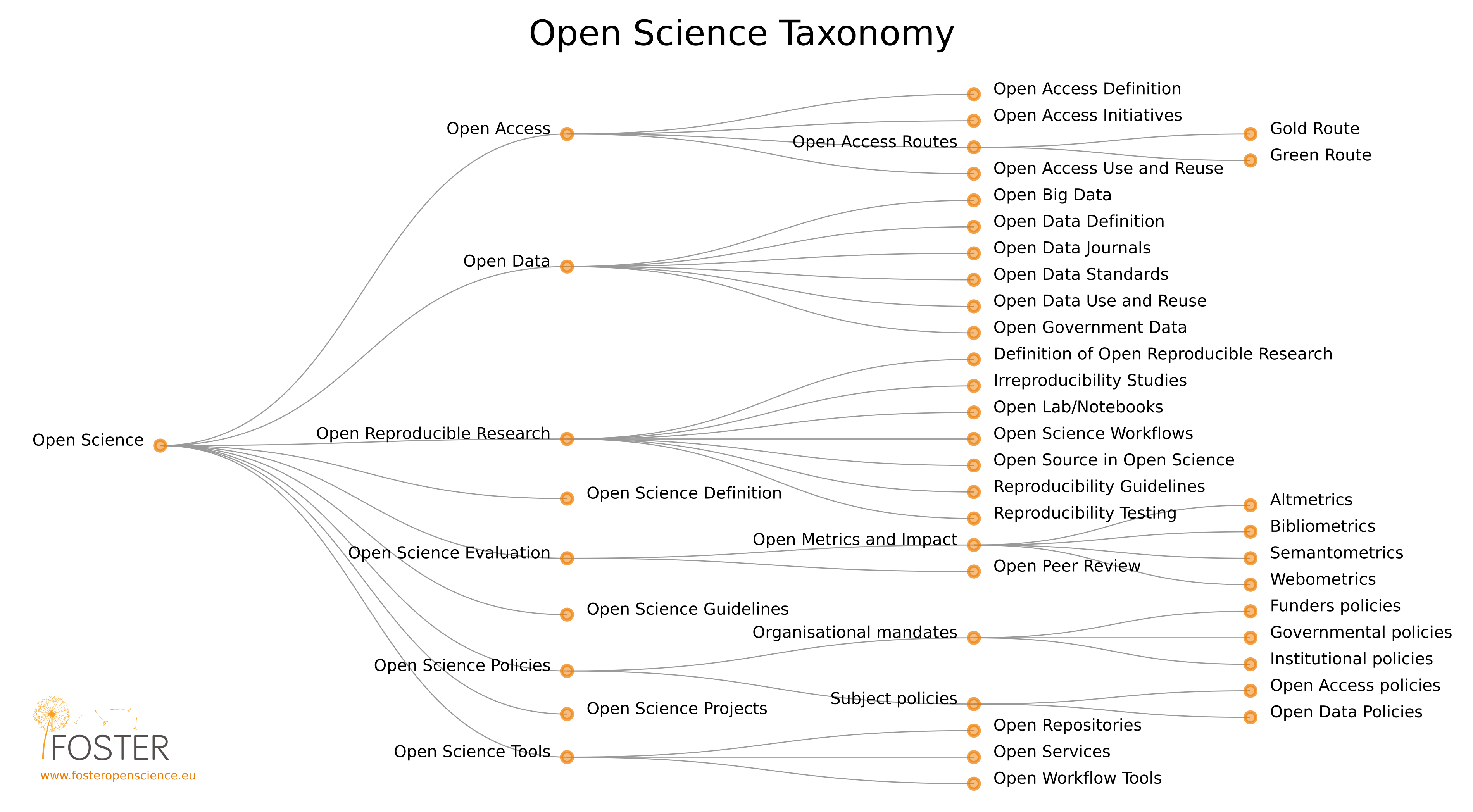
In 2019, UNESCO created their Recommendation on Open Science, a set of guidelines to help encourage collaboration across national boarders, language barriers, and institutional divides. Open Science advocates for Open Access, but widens the scope to include Open Data, Research, Evaluation, Policies, and Tools.
A taxonomy of Open Science from the Foster Open Science initiative (click to see in detail!)
Open Science leads to more collaborative and democratic discoveries. Institutions that lack funding may not be able to access the expensive databases that can be the only point of access for important papers and other resources. Removing hurdles is good for everyone! By following Open Science guidelines, publishing in Open Access journals, and making their processes widely available, scientists can ensure that their results are accurate by making their tests easily reproducible. Expanded access means more diverse worldviews are contributing to the science. Learn more about the development of Open Science with the resources below!
UNESCO. (2019). Preliminary study of the technical, financial and legal aspects of the desirability of a UNESCO recommendation on Open Science. 40th Session of UNESCO General Conference, Paris. Available: https://unesdoc.unesco.org/ark:/48223/pf0000370291
What is ORCID and why does it matter to Open Access?
ORCID (Open Researcher and Contributor ID) is a personal identifier that helps to make sure that work gets attributed to the correct person. To learn more about ORCID and to get started with your own, visit ORCID @ The University of Iowa.
What does this have to do with Open Access?
ORCID is founded on principles of open access and works to build networks between researchers through expanding access. They back this up in practice, since their own software is open access.
Have you ever started searching for an article by searching an author’s name only to find in the results that there are multiple authors by the same name, or can’t tell if the author of two papers is the same person because their associated institution has changed? By creating unique searchable ID’s for researchers, ORCID helps overcome both of these problems. If properly maintained, ORCID records can also be full lists of work that a researcher has done. If you can’t access a paper because it is behind a paywall, check the author’s ORCID! You may find they wrote a similar paper that is published in an open access journal.
Want even more information? Watch this short video for more explanation. If you are ready to get started, use the UI ORCID Planter tool to claim your ID today!
According to UNESCO, Open Access is “free access to information and unrestricted use of electronic resources for everyone.” The hope of Open Access is that increased access to research will lead to more collaborative projects and that the removal barriers will create a more equitable research environment.
We’ll be putting up mini blogs every day, so check in here to learn about ORCID, Open Educational Resources, and more. Also follow along on our Facebook,Instagram, and Twitter so you don’t miss anything!
Happy Spooky Season! The weather is changing here on campus and it’s almost time for Halloween. You may wonder why the Engineering Library would care about a holiday that we celebrate by dressing up and eating candy. Remember – engineering is the science of applied EVERYTHING and that includes Halloween! Come on in and check out our exhibit: Engineering Halloween. It will be up through the end of the month.
Potions
Witches around a bubbling cauldron may seem far from scientific, but humans have long relied on home remedies to handle most illnesses, the making of some may resemble brewing a potion. You won’t find any eye of newt or blood of a dragon in modern pharmaceuticals. Today’s cauldron, the glass beaker, must be able to stand high heat. The ASTM creates standards for lab equipment to help ensure that chemists won’t end up with their potion on the bench. For more information on standards and their importance in engineering, visit our standards guide!
Ghost Hunting
Some people believe that on Halloween the veil between the physical and spiritual worlds is pulled aside, which makes it the perfect time to go hunting for ghosts! If you’ve ever watched a ghost hunting show you might have seen ghost hunters use specialized tools like a spirit box or an EMF reader. Other tools are more commonplace. For example, some ghost hunters use thermal cameras and infrared thermometers, like the ones in our Tool Library, to capture cold spots – a supposed paranormal phenomenon. Sometimes ghosts can get more physical – like pushing and hitting people. Sometimes those sensations have a more earthly explanation that can be easily fixed. If people feel like they’re getting pushed down your stairs, check out a level to make sure those stairs are as flat and safe as they should be before you go calling the Ghostbusters.
Costumes
Want to take first place at this year’s costume contest? Consider integrating some wearable technology into your look. Use CAD and a 3D printer to create your whole costume, or just a piece or two and you’ll have a costume no one else does. You can also make sure you’re seen by adding LED’s! Check out this LilyPad Constellation Project to see the system in action. With a little knowledge of sewing and circuits, you can outshine the competition. With careful engineering and planning, you can also add elements like moving wings. It may be a little late to make glowing articulated wings like this project, but it’s not too early to plan for next year!
Stop in and see our exhibit “Engineering Halloween” which will be up for the rest of the month.
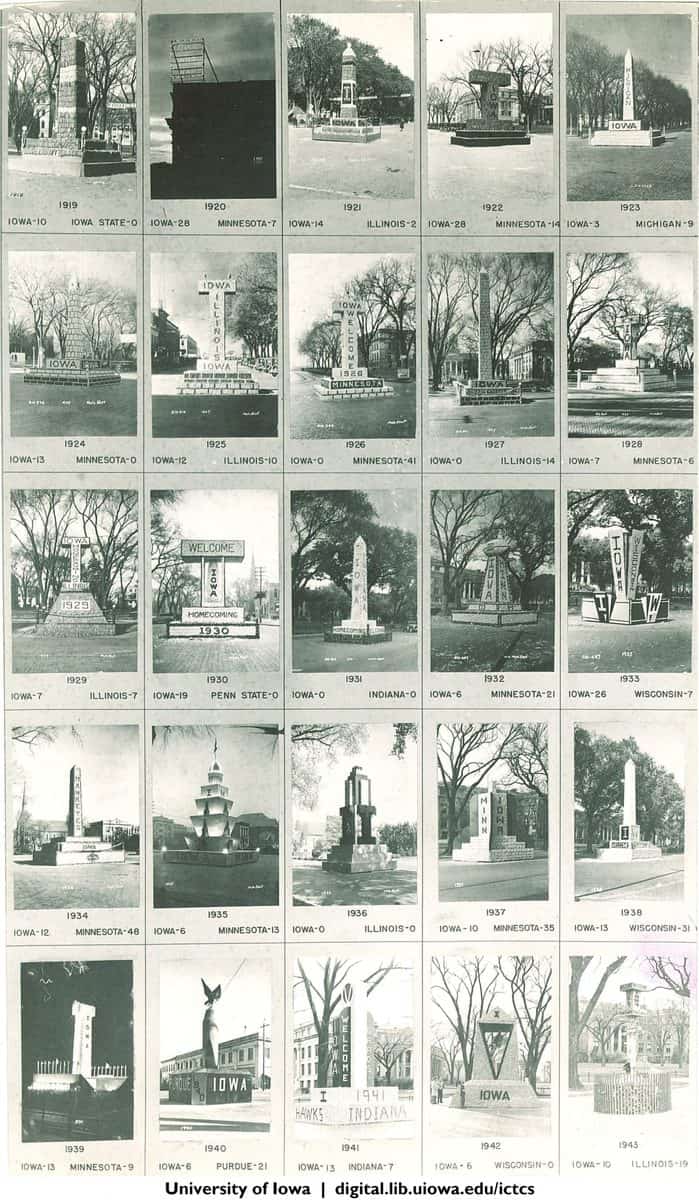
Happy homecoming to all – current students and alumni near and far! One of the College of Engineering’s most creative homecoming traditions is the Corn Monument. The state of Iowa is the top corn producer in the country, so what better way to celebrate than to celebrate with corn?
Corn Monuments from 1919 to 1943 (from the Iowa Digital Library)
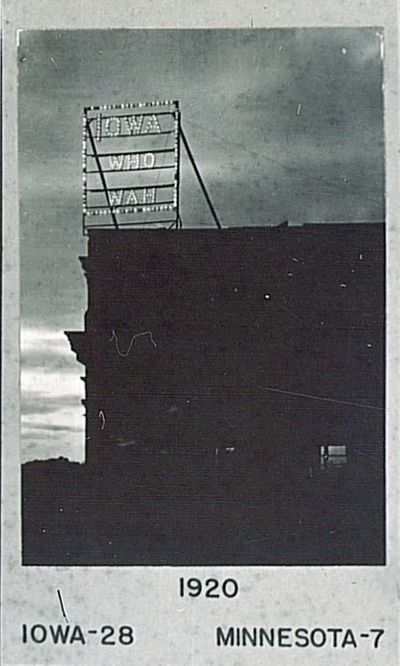
Engineers have showed their support for the football team with things other than corn. In 1919, they upstaged their obelisk monument on the Pentacrest with an electric sign. In preparation for the homecoming game against Iowa State, they created 15-foot tall electric sign that read “Soak Um Iowa” and placed it on top of the physics building (also known as MacLean Hall). The sign featured around 200 light bulbs and would have been very visible from Iowa Field, located only a block away near the river. No pictures of the sign seem to have survived, but in 1920 they created a similar sign for the homecoming game against Minnesota that read “Iowa Who Wah.”
1920 “corn monument” electric sign (from the Iowa Digital Library)
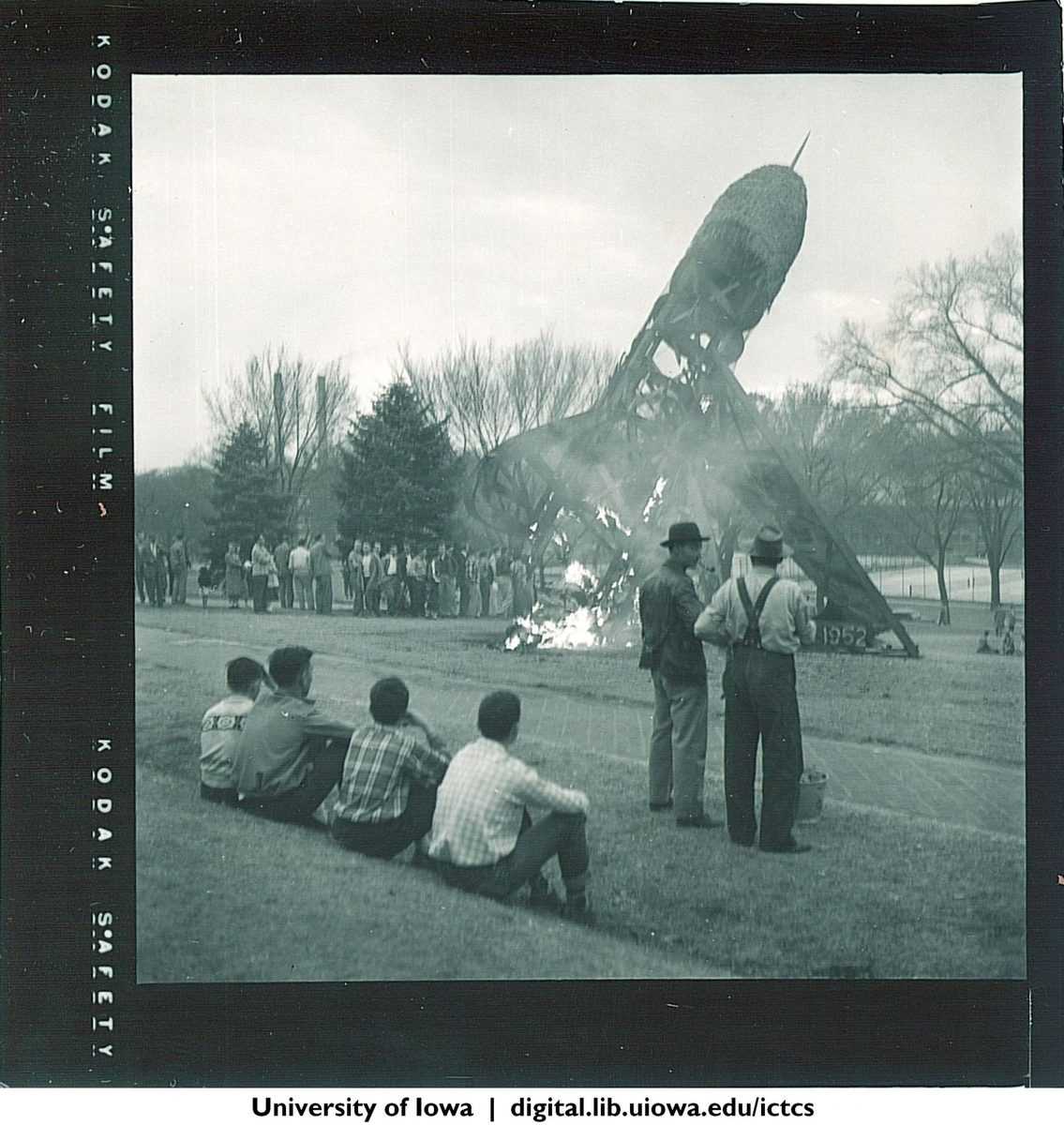
A common motif for these monuments is an obelisk or a big “I,” but some unique designs have been taken. For example, this rocket monument from 1952, the design of which was submitted by dental student Duane Schmidt.
1952 Corn Monument (from the Iowa Digital Library)
If the Hawks won, the monument would be burned in celebration. Here is a photo of the 1952 monument on fire after the Hawks beat the Buckeyes 8-0. For many reasons (including public safety) his tradition has been abandoned.
From the Iowa Digital Library
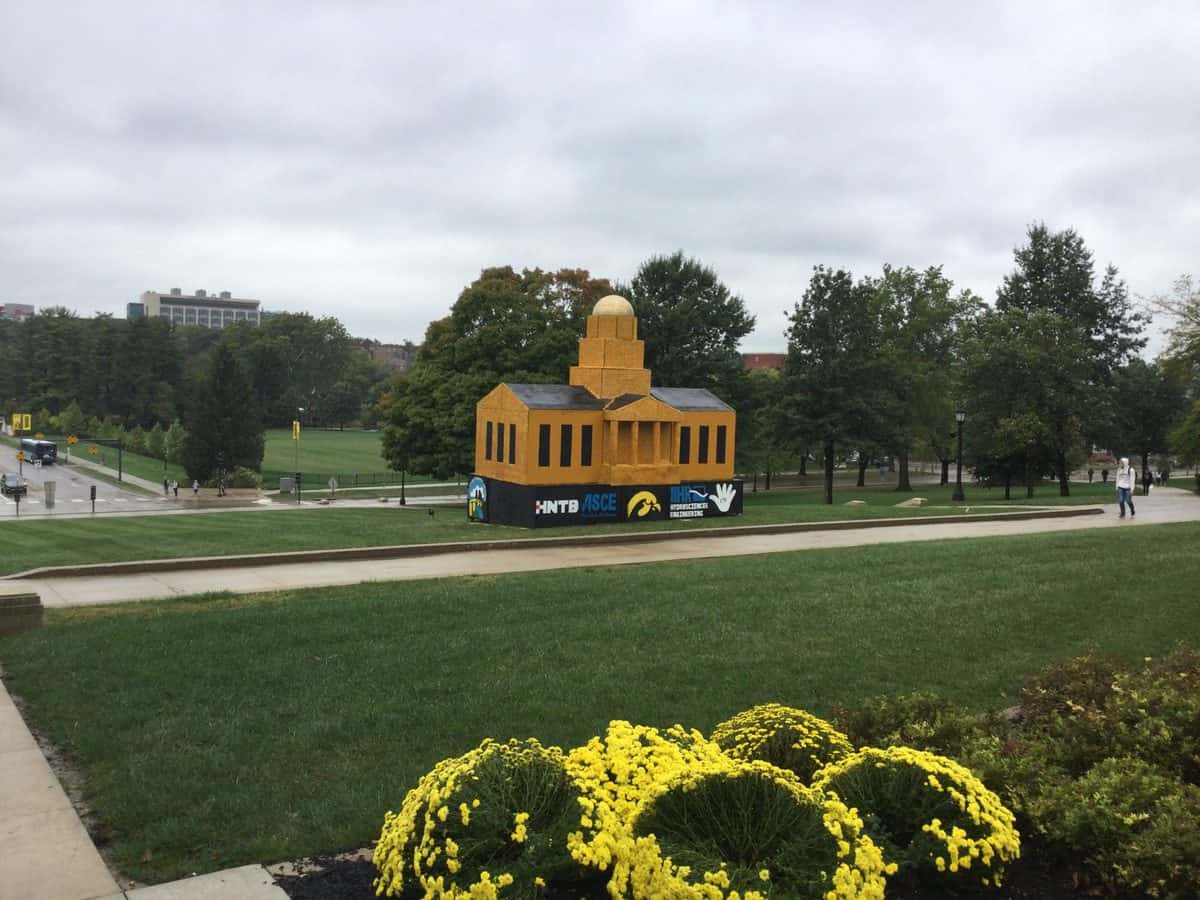
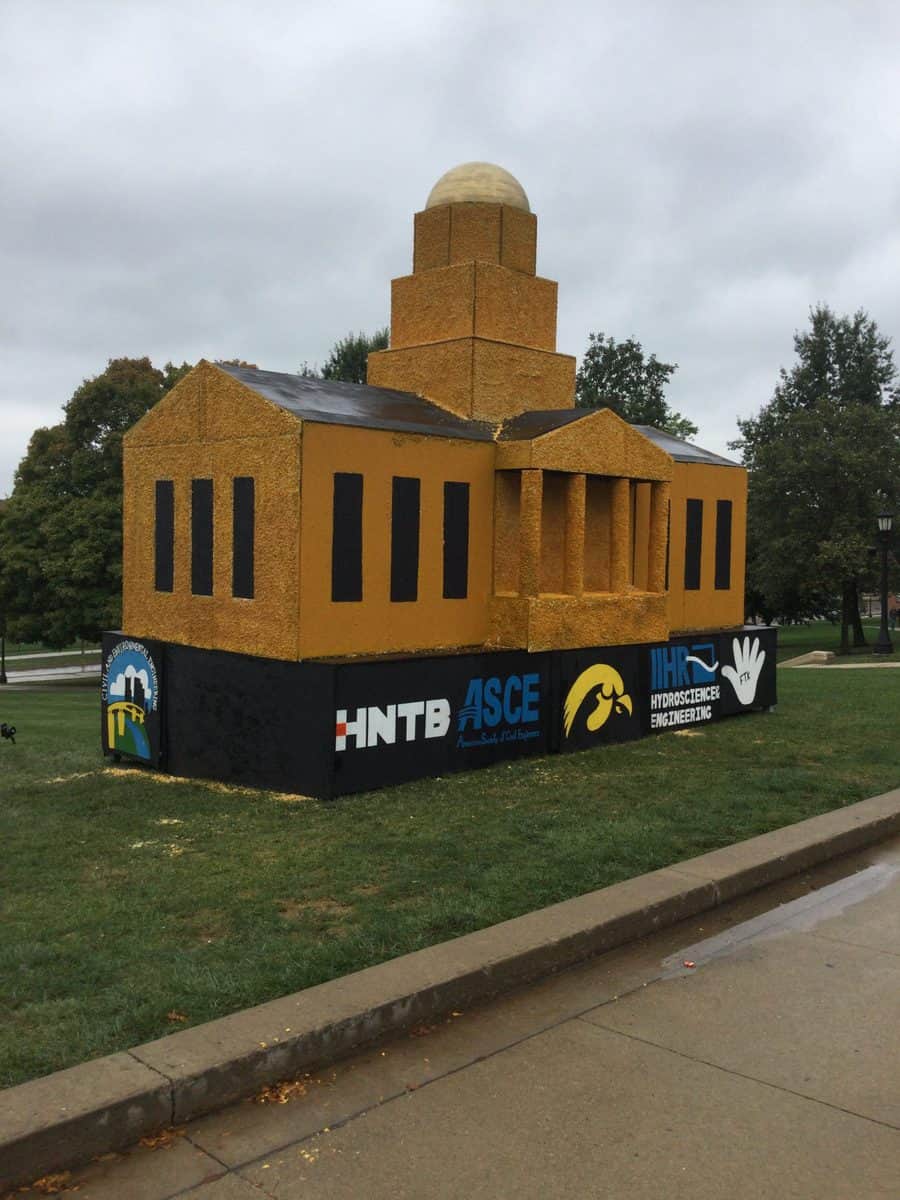
The corn monument was popular through the 60’s, but as with many traditions, interest waned and no one took the initiative. Corn monuments reappeared in 1981 and have been present on and off since. After being gone for two years, the corn monument is back for 2021! This year we have what is believed to be one the biggest corn monuments – a replica of the Old Capitol that stands 25 feet tall. It’s just across the street on the Pentacrest. See it today in between classes or while visiting your old stomping grounds, and Go Hawks!
3D printing has gained popularity in the past decade, with printers becoming cheaper and more accessible to the consumer market. It has allowed users to take manufacturing into their own hands with several advantages over traditional manufacturing. Read all the way to the end to find out how you can learn the ins and outs of printing through the Engineering Library.
The Basics
3D printing is a form of additive manufacturing. As the name would suggest, this means that items are created by building up material. The computer programs involved take the digital model the user has created and “slice” it into horizontal pieces. The printer then takes these slices and prints them one on top of the other, building the item.
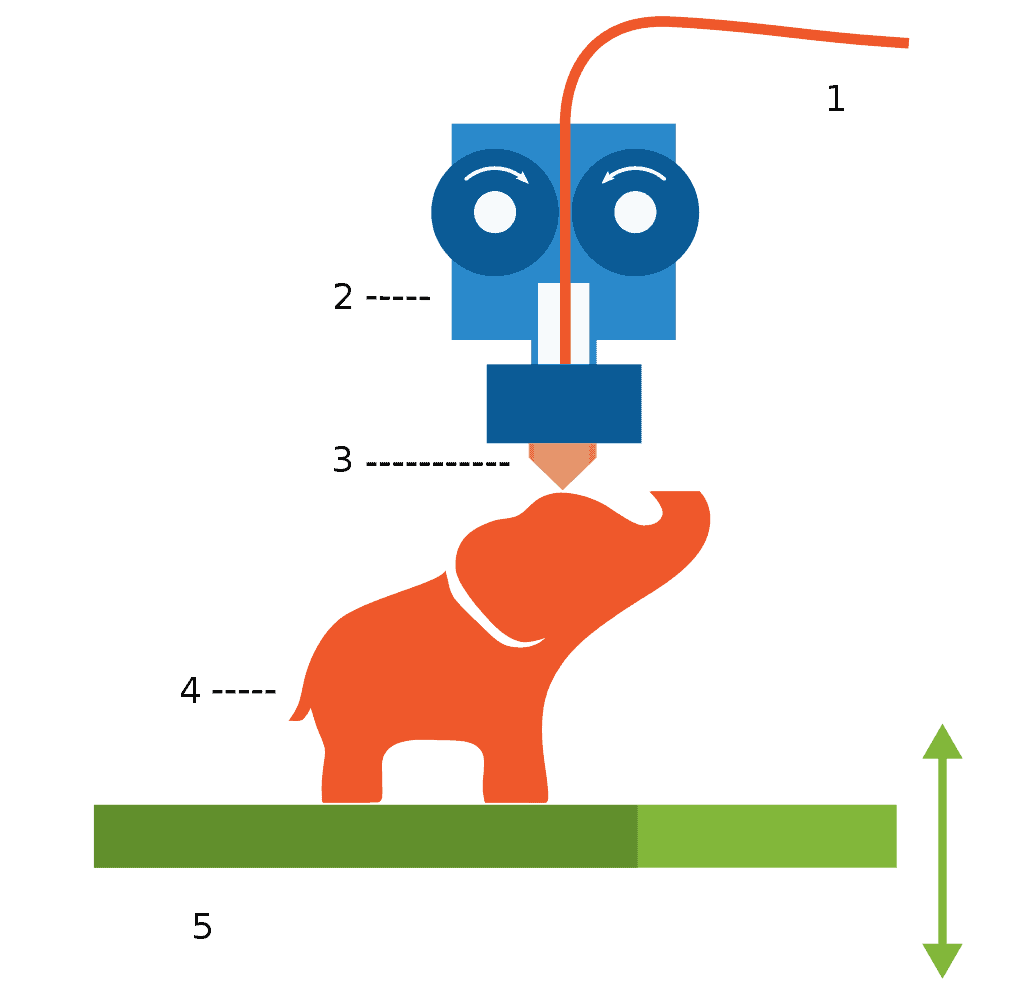
Consumer-grade printers usually print using thermoplastic graded according to the machine being used. The filament (1) is heated in the machine (2) and fed out through the nozzle (3) to build layers on the print (4) which starts on the build plate (5). Plastic is the most common, but some printers can use glass, ceramic, chocolate, and even biological tissue!
A diagram of 3D printing
Software
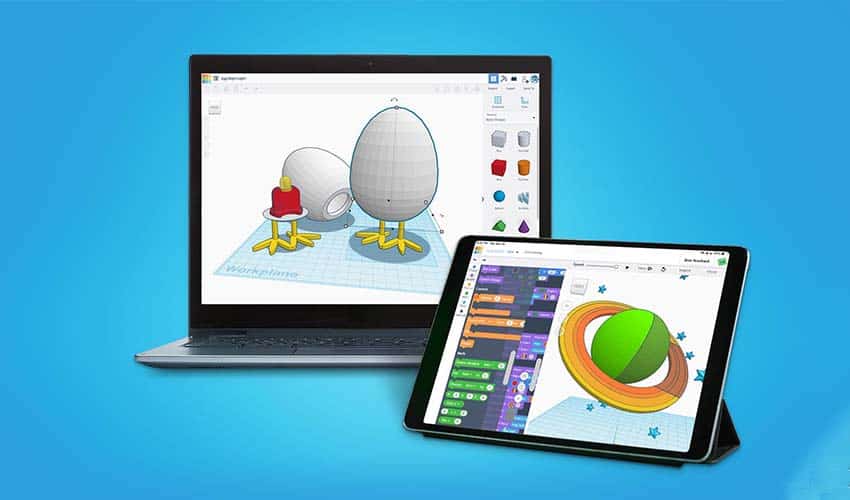
Advanced training in CAD software is no longer necessary to create your own 3D prints. Software like TinkerCAD and 123D Creature are specifically developed for ease of use. Not interested in making your own? You can download print files from a variety of websites, such as Thingiverse. The maker of your 3D printer may also have their own online repository, so be sure to check the major brand websites.
Tinkercad is available on your computer or tablet
Printers
Consumer-Level 3D printers come in many different forms, and choosing the right one for you depends on what you are planning to print. For most home printing, a standard cartesian printer will work just fine. However, there are other options. Delta-style printers have small footprints, so they take up less space, but are also limited in their print capacity. If you wanted to go really overboard, you could look into a new innovation, a printer with a conveyor belt in place of the printing plate. This innovation allows for “infinite” printing. This means you could leave your printer to complete a multi-part print and not have to return and reset it as each piece finishes, or you could more easily print very long items, like swords or staffs. Of course, there is no need to buy a printer at all. Many public libraries now have 3D printers that can be used, or you can submit your files to be created by the printers at the Engineering Electronics Shop.
A conveyor belt printer completing multiple prints at a time
Learn & Create Workshops
Learn about 3D printing from the experts with our Learn & Create 3D Printing Workshop Series. Taught by Andrew Delgado from the 3D Print Club, the first class will cover the use of design software, and the second will focus on running the printers. More information is below. Visit our website to save your spot today!
October 6, 1:30 pm, Engineering Library Creative Space (2001C SC) – 3D Printing Designing
Want to learn how to use a 3D printer, but not sure how to get started? Learn the basics of 3D Design and Modeling in this step-by-step workshop.
October 13, 1:30 pm, Engineering Library Creative Space (2001C SC) – 3D Printing Operating the Printer
Have you ever wondered how 3D printers work? Join us and learn how to use slicing applications and the basics of operating a 3D printer.
It’s time for our annual Creative Kick-Start program! This program, created by the Engineering Library and the Engineering Technology Center, enables students to develop their ideas into viable products. Funds are generously provided by the Engineering Technology Center.
All Engineering students (both undergraduate and graduate) can submit their ideas for the program. Up to 10 projects will be invited to participate in the program and will receive $500 in funding. This award may only be used in the Engineering Technology Center for materials, tools, and labor. Any funds that are unused will be returned to the program.
So how do you get started?
Think of a problem you want to solve. Do you want to improve the design of a tool you use a lot? Have a solution for the most annoying part of your day? The timeline for the program is approximately 3 months, so think big, but keep things in perspective.
Find a faculty or staff member to sign on to your project. All projects must have one.
Fill out the application (Due October 29th) and tell us a little bit about your project.
Wait to hear! Our Application Review Committee will evaluate your application and choose up to 10 projects.
Participants will take part in a workshop to help them get started and to receive their Creative Kick-Start RedBoxes. These boxes contain everything the participants need for the program, including timelines for reports, a contacts sheet for the supporting partners, and the funding card that they will use in the Engineering Electronics Shop and Machine Shop. Students will present their projects at the College of Engineering Annual Research Open House.
Applications are due October 29th, so start putting together your proposal now! Do you have an idea you want to submit? Visit the project homepage for more information and to see past participants. If you have any questions, reach out to the Engineering Library. Call us at 319-335-6047, text us at 319-250-2176, email us at lib-engineering@uiowa.edu, or just come in and ask.