We have joined with the Engineering Technology Centers to present a new series of classes!! The Learn & Create Xpress Classes will cover a variety of topics and are scheduled for Thursday afternoons at 2:00 p.m. in the Engineering Library Creative Space. The classes are half an hour long and are limited to 20 participants. Click on the link to register! They are also FREE!!
This Thursday, February 22, 2018, the class is Patents & Standards! The University of Iowa Libraries provides electronic access to several sources of patents and standards from around the world. Kari Kozak, Lichtenberger Engineering Library, will present the various resources that can be accessed on and off campus.
Each Learn & Create class is limited to 20 participants – and they fill up fast! To register for each class head to the Learn & Create Xpress Classes webpage! Each class has a registration link and the option of being put on a wait list if the class is already full!
Future Learn & Create Xpress Classes:
3/1/2018: Multimeter Basics: The multimeter is a tool used for measuring voltage, current, and resistance. We have one here in the Tool Library and it is available for you to check out. Diem Nguyen, Engineering Electronic Shop, will help you learn to troubleshoot electrical problems!
3/8/2018: Collect & Analyze Data Using LabQuest Devices. The Tool Library includes LabQuest Devices and a wide range of sensors to use with the LabQuest. These LabQuest devices allow for collecting and analyzing data – with a nearly endless number of possibilities! This course, presented by John Kostman, Engineering Electronic Shop, will provide an overview of what the Tool Library has and instruction on how to use it.
3/22/2018: MATLAB. MATLAB combines a desktop environment tuned for iterative analysis and design processes with a programming language that expresses matrix and array mathematics directly. Learn what is possible with this software! This class will be presented by Mitchell Moeller.
3/29/2018: Creating a Poster for Presentation. Presenter: Scott Coffel, Hanson Center for Technical Communication.
4/5/2018: Camtasia & Video Creation. Create and edit video tutorials and presentations via screencast using the Camtasia software suite! John Kostman & Diem Nguyen, Engineering Electronic Shop, will help you learn about the software PC World calls “a full-featured education/information video tool.”
4/12/2018: Managing Data with OpenRefine. Presenter: Brian Westra, Hardin Library for the Health Sciences.
4/19/2018: 2D & Vector Design with CorelDRAW. CorelDRAW is a vector graphics editor and image-editing software package. Learn about power that CorelDRAW gives you to create digital art! Presenters: John Kostman & Diem Nguyen, Engineering Electronic Shop.
Each of these classes are limited to 20 participants – and they are filling up! To register for each class head to the Learn & Create Xpress Classes webpage! Each class has a registration link and the option of being put on a wait list if the class is already full!
Don’t miss out on these free and informative classes – sign up now!
The 2018 Winter Olympics in PyeongChang, South Korea are here! The games started on February 9, 2018 and will run through February 25, 2018. There are 102 Gold Medal Events across 15 sports! The sports are classified as “winter sports” because they require snow or ice. Most of the sports use equipment that is made from fiberglass. The three substances snow, ice, and fiberglass make the Winter Olympics possible!
We have a new Winter Olympics Exhibit Case in the Lichtenberger Engineering Library. Stop in and check it out!
The first of the key ingredients for the Winter Olympics is the snow. Natural snow forms when moisture combines with low temperatures to form ice crystals. These crystals begin to stick together and become heavy enough to fall to the ground. However, for ski slopes all across the world and during the Olympics, nature sometimes does not produce enough snow. Japanese nuclear physicist Ukichiro Nakaya, produced the first artificial snowflakes on March 12, 1936 by growing ice crystals on rabbit hair.1 Modern engineering has developed the snow gun. There are two methods for how the snow gun operates. Option 1: high pressure water systems creating water droplets that freeze in the air, and a powerful fan. Option 2: water and air under high pressure forcing the ice crystals into the sky. This process produces snice (snow-ice) because it is harder in texture than natural snow and becomes icy easier.2 Since PyeongChang, is situated in the mountains, the locale is ideal for both natural or artificial snow!
Ice is the other surface on which many of the sports occur during the Winter Olympics. Ice has a low coefficient of friction between ice and steel, creating the ability for ice skaters and the sliding sports (bobsleigh, luge, and skeleton) to generate high speeds.3 The temperature at which the ice is frozen creates different qualities for each sport. Colder temperatures create harder and faster ice, for sports such as hockey and the sliding sports, but is more brittle and likely to break on impact. Softer ice is produced at a higher temperature for figure skating, and has more grip and is less likely to shatter.4 For Curling, water is sprayed on the ice surface to create tiny bumps of ice over which the stones slide. This is called pebbling. Pebbling reduces the amount of surface friction between the stones and the ice, allowing the stones to glide more easily.5 The surface of an ice rink consists of 8 to 10 layers of ice! Ice and the science behind it leads to ideal surfaces on which the athletes compete.
The final, and perhaps unexpected, element in the Winter Olympics is fiberglass. Skis, snowboards, bobsleds, luge sleds, composite hockey sticks, and curling brushes all are constructed using fiberglass. Fiberglass, also known as glass fiber reinforced plastic, is a glass fabric that is soaked in a resin and then set in a mold to create the desired shape. Fiberglass is both strong and lightweight making it ideal for sports. The fibers to make the fabric are created by melting glass marbles and pulling the melted glass into filaments that are 1/10,000 of an inch to 5/10,000 of an inch in diameter.6 These glass strands are 2-3 times as strong as alloy steel! These strands are then twisted into yarn and woven into a fabric. This glass fabric is strong but it does not hold its shape, so it must be soaked in resin and then cured before it will be ready for an athlete to use. Fiberglass plays an important role in the Winter Olympics due to its use in many sports.
The event surfaces and equipment used make the Winter Olympics successful for athletes and enjoyable for spectators. Snow, ice, and fiberglass are the three key substances for the 2018 Winter Olympics in PyeongChang!
Check this video out if you want to see more engineering and technology in action at the 2018 Winter Olympics!
Sit back, watch the Olympics and be sure to cheer for your country as the athletes go for the gold!
And ski, luge, skate or curl your way into the library to check out the new exhibit case!
Resources:
[1] Ivar Olovsson, Snow, Ice, and Other Wonders of Water: A tribute to the Hydrogen Bond (Hackensack: World Scientific Publishing Co. Pte. Ltd, 2016), 10. Engineering Library QC926.32 .O46 2016
[3] Mark Denny, Gliding for Gold: The Physics of Winter Sports (Baltimore: The Johns Hopkins University Press, 2011), 21. Engineering Library QC73 .D46 2011
[6] Forbes Aird, Fiberglass & Other Composite Materials: A Guide to High Performance Non-Metallic Materials for Race Cars, Street Rods, Body Shops, Boats, and Aircraft (New York: Penguin Group Inc., 2006), 9. Engineering Library TA455 .P55 2006
We have joined with the Engineering Technology Centers to present a new series of classes!! The Learn & Create Xpress Classes will cover a variety of topics and are scheduled for Thursday afternoons at 2:00 p.m. in the Engineering Library Creative Space. The classes are half an hour long and are limited to 20 participants. Click on the link to register! They are also FREE!!
This Thursday, February 15, 2018, Diem Nguyen and John Kostman from the Engineering Electronic Shop, will be presenting Oscilloscope Basics. An oscilloscope allows for the observation of varying signal voltages. We have one available to check out in our Tool Library!
Each Learn & Create class is limited to 20 participants – and they fill up fast! To register for each class head to the Learn & Create Xpress Classes webpage! Each class has a registration link and the option of being put on a wait list if the class is already full!
Future Learn & Create Xpress Classes:
2/22/2018:Patents & Standards: The University of Iowa Libraries provides electronic access to several sources of patents and standards from around the world. Kari Kozak, Lichtenberger Engineering Library, will present the various resources that can be accessed on and off campus.
3/1/2018: Multimeter Basics: The multimeter is a tool used for measuring voltage, current, and resistance. We have one here in the Tool Library and it is available for you to check out. Diem Nguyen, Engineering Electronic Shop, will help you learn to troubleshoot electrical problems!
3/8/2018: Collect & Analyze Data Using LabQuest Devices. The Tool Library includes LabQuest Devices and a wide range of sensors to use with the LabQuest. These LabQuest devices allow for collecting and analyzing data – with a nearly endless number of possibilities! This course, presented by John Kostman, Engineering Electronic Shop, will provide an overview of what the Tool Library has and instruction on how to use it.
3/22/2018: MATLAB. MATLAB combines a desktop environment tuned for iterative analysis and design processes with a programming language that expresses matrix and array mathematics directly. Learn what is possible with this software! This class will be presented by Mitchell Moeller.
3/29/2018: Creating a Poster for Presentation. Presenter: Scott Coffel, Hanson Center for Technical Communication.
4/5/2018: Camtasia & Video Creation. Create and edit video tutorials and presentations via screencast using the Camtasia software suite! John Kostman & Diem Nguyen, Engineering Electronic Shop, will help you learn about the software PC World calls “a full-featured education/information video tool.”
4/12/2018: Managing Data with OpenRefine. Presenter: Brian Westra, Hardin Library for the Health Sciences.
4/19/2018: 2D & Vector Design with CorelDRAW. CorelDRAW is a vector graphics editor and image-editing software package. Learn about power that CorelDRAW gives you to create digital art! Presenters: John Kostman & Diem Nguyen, Engineering Electronic Shop.
Each of these classes are limited to 20 participants – and they are filling up! To register for each class head to the Learn & Create Xpress Classes webpage! Each class has a registration link and the option of being put on a wait list if the class is already full!
Don’t miss out on these free and informative classes – sign up now!
We have joined with the Engineering Technology Centers to present a new series of classes!! The Learn & Create Xpress Classes will cover a variety of topics and are scheduled for Thursday afternoons at 2:00 p.m. in the Engineering Library Creative Space. The classes are half an hour long and are limited to 20 participants. Click on the link to register!
This Thursday, Feb. 8, 2018, Marina Zhang, Engineering & Informatics Librarian, will be presenting Creating Citations with EndNote. EndNote is a bibliographic management tool for collecting, organizing, sharing, and formatting citations. It is citation management software which allows you to import, organize, and format citations for your papers and articles! Sign up now – registration is limited and you don’t want to miss this class! This is information you will use throughout your academic career!
Each Learn & Create class is limited to 20 participants – and they fill up fast! To register for each class head to the Learn & Create Xpress Classes webpage! Each class has a registration link and the option of being put on a wait list if the class is already full!
Future Learn & Create Xpress Classes:
2/15/2018: Oscilloscope Basics. An oscilloscope allows for the observation of varying signal voltages. We have one available to check out in our Tool Library. Diem Nguyen and John Kostman from the Engineering Electronic Shop will be the presenters.
2/22/2018:Patents & Standards: The University of Iowa Libraries provides electronic access to several sources of patents and standards from around the world. Kari Kozak, Lichtenberger Engineering Library, will present the various resources that can be accessed on and off campus.
3/1/2018: Multimeter Basics: The multimeter is a tool used for measuring voltage, current, and resistance. We have one here in the Tool Library and it is available for you to check out. Diem Nguyen, Engineering Electronic Shop, will help you learn to troubleshoot electrical problems!
3/8/2018: Collect & Analyze Data Using LabQuest Devices. The Tool Library includes LabQuest Devices and a wide range of sensors to use with the LabQuest. These LabQuest devices allow for collecting and analyzing data – with a nearly endless number of possibilities! This course, presented by John Kostman, Engineering Electronic Shop, will provide an overview of what the Tool Library has and instruction on how to use it.
3/22/2018: MATLAB. MATLAB combines a desktop environment tuned for iterative analysis and design processes with a programming language that expresses matrix and array mathematics directly. Learn what is possible with this software! This class will be presented by Mitchell Moeller.
3/29/2018: Creating a Poster for Presentation. Presenter: Scott Coffel, Hanson Center for Technical Communication.
4/5/2018: Camtasia & Video Creation. Create and edit video tutorials and presentations via screencast using the Camtasia software suite! John Kostman & Diem Nguyen, Engineering Electronic Shop, will help you learn about the software PC World calls “a full-featured education/information video tool.”
4/12/2018: Managing Data with OpenRefine. Presenter: Brian Westra, Hardin Library for the Health Sciences.
4/19/2018: 2D & Vector Design with CorelDRAW. CorelDRAW is a vector graphics editor and image-editing software package. Learn about power that CorelDRAW gives you to create digital art! Presenters: John Kostman & Diem Nguyen, Engineering Electronic Shop.
Each of these classes are limited to 20 participants – and they are filling up! To register for each class head to the Learn & Create Xpress Classes webpage! Each class has a registration link and the option of being put on a wait list if the class is already full!
Don’t miss out on these free and informative classes – sign up now!
We have joined with the Engineering Technology Centers to present a new series of classes!! The Learn & Create Xpress Classes will cover a variety of topics and are scheduled for Thursday afternoons at 2:00 p.m. in the Engineering Library Creative Space. The classes are half an hour long and are limited to 20 participants. Click on the link to register!
This week, 2/1/2018, Cliff Curry from the Engineering Electronic Shop will be presenting Printing Circuit Boards: Testing (Part 2). This session is a follow-up to last week’s session and will go into detail about special problems and challenges for circuit boards, including testing.
Check out the schedule for the rest of the Learn & Create Xpress Classes:
2/8/2018: Creating Citations with EndNote. Marina Zhang from the Lichtenberger Engineering Library will be presenting on how you can use EndNote in your next paper or project. EndNote is a bibliographic management tool for collecting, organizing, sharing, and formatting citations.
2/15/2018: Oscilloscope Basics. An oscilloscope allows for the observation of varying signal voltages. We have one available to check out in our Tool Library. Diem Nguyen and John Kostman from the Engineering Electronic Shop will be the presenters.
2/22/2018:Patents & Standards: The University of Iowa Libraries provides electronic access to several sources of patents and standards from around the world. Kari Kozak, Lichtenberger Engineering Library, will present the various resources that can be accessed on and off campus.
3/1/2018: Multimeter Basics: The multimeter is a tool used for measuring voltage, current, and resistance. We have one here in the Tool Library and it is available for you to check out. Diem Nguyen, Engineering Electronic Shop, will help you learn to troubleshoot electrical problems!
3/8/2018: Collect & Analyze Data Using LabQuest Devices. The Tool Library includes LabQuest Devices and a wide range of sensors to use with the LabQuest. These LabQuest devices allow for collecting and analyzing data – with a nearly endless number of possibilities! This course, presented by John Kostman, Engineering Electronic Shop, will provide an overview of what the Tool Library has and instruction on how to use it.
3/22/2018: MATLAB. MATLAB combines a desktop environment tuned for iterative analysis and design processes with a programming language that expresses matrix and array mathematics directly. Learn what is possible with this software! This class will be presented by Mitchell Moeller.
3/29/2018: Creating a Poster for Presentation. Presenter: Scott Coffel, Hanson Center for Technical Communication.
4/5/2018: Camtasia & Video Creation. Create and edit video tutorials and presentations via screencast using the Camtasia software suite! John Kostman & Diem Nguyen, Engineering Electronic Shop, will help you learn about the software PC World calls “a full-featured education/information video tool.”
4/12/2018: Managing Data with OpenRefine. Presenter: Brian Westra, Hardin Library for the Health Sciences.
4/19/2018: 2D & Vector Design with CorelDRAW. CorelDRAW is a vector graphics editor and image-editing software package. Learn about power that CorelDRAW gives you to create digital art! Presenters: John Kostman & Diem Nguyen, Engineering Electronic Shop.
Each of these classes are limited to 20 participants – and they are filling up! To register for each class head to the Learn & Create Xpress Classes webpage! Each class has a registration link and the option of being put on a wait list if the class is already full!
Don’t miss out on these free and informative classes – sign up now!
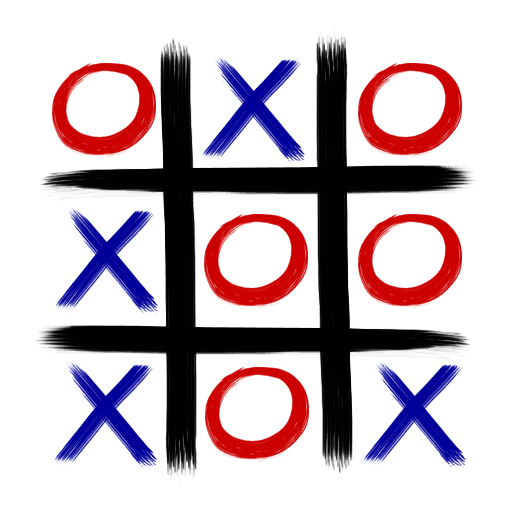
How much time did you spend playing tick-tac-toe when you were a kid? Did you realize the person who had the first go was at a disadvantage? The first player actually has to draw one connecting line longer than the opponent. So, if you are the first to go and still win, that’s impressive! If you add more squares – say 18 – there are 153 connecting lines. Which means there are 3153 game situations – roughly equivalent to the number of particles in the universe. Searching for a winning strategy is quite impossible and sometimes referred to as “computational chaos.” I had trouble winning with just 9 squares….
Another popular grid puzzle is Sudoku. The most common version of the puzzle consists of 9 squares by 9 squares – a grid of 81 squares. The grid is divided into 9 blocks, each containing 9 squares. The rules: each of the 9 blocks must contain all the numbers 1 – 9 within the squares. Each number can only appear once in a row, column or box. The tricky part is that each vertical 9-square column or horizontal 9-square line – within the larger square – must also contain each of the numbers 1 – 9, with no repeats… Each puzzle has only one solution…
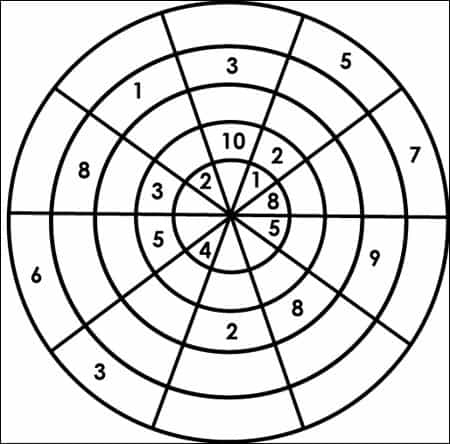
If that isn’t challenging enough, there are also circular Sudoku puzzles!
Each of the 4 rings and 8 quarter circles have the numbers 1 through 8 (unlike the square version which has 9). Of course, you can always have 3-ring puzzles, or 5 and 6 ring puzzles. Variants and puzzles can be found in Nets, Puzzles, and Postmen.
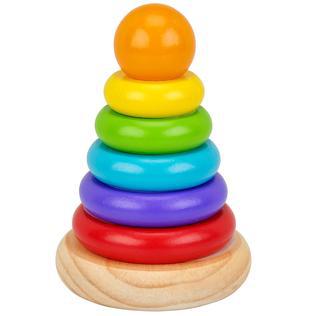
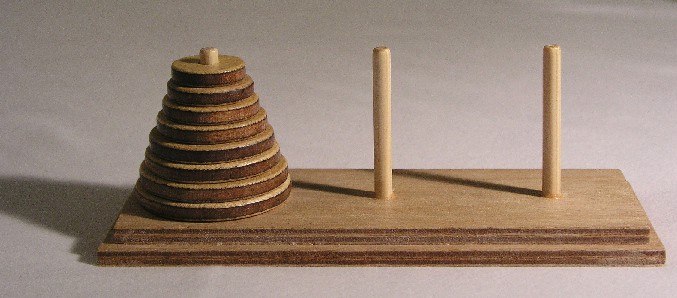
Ready for the grown-up version of the baby donut stacker?
The Tower of Hanoi is a much more complicated form of the donut stacker. It was invented by the French mathematician, Edouard Lucas, and was first sold as a toy in 1883. The goal is to transfer the tower of 8 disks to one of the 2 vacant pegs in the fewest moves possible…without putting a larger disk on a smaller one…. For 8 disks that will take 255 moves… If you haven’t figured it out for yourself, the complete mathematical formulas are on pages 196-200 in Famous Puzzles of Great Mathematicians.
Logic puzzles more your style? Try to solve these – good luck!!
Wine & Water:
A dishonest servant takes 3 pints of wine from a barrel and replaces those pints with the same amount of water. He repeats his theft twice, removing a total of 9 pints, replacing those pints with water. As a result, the diluted wine remaining in the barrel lost half of its former strength. How much wine did the barrel originally hold?
Animals in a field:
A cow, a goat, and a goose graze on grass in a field. The cow eats the same quantity of grass as the goat and the goose together. the cow and the goat eat all of the grass in the field in 45 days, the cow and the goose in 60 days, and the goat and the goose in 90 days. How many days will it take the cow, the goat, and the goose together to eat all of the grass, assuming that the grass grows at the same daily rate?
Compose plane figures/Fibonacci’s numbers:
Make a rectangle without any gaps by using small squares whoe sides are the Fibonacci numbers 1, 1, 2, 3, 5, 8, 13, and 21.
Want more logic puzzles? Origami, Eleusis, and the Soma Cube, by Martin Gardner presents (among others) a puzzle called The Monkey and the Coconuts…
Ever heard of the “pea and the sun paradox?” A solid of any size (a small pea for example), can be partitioned into a finite number of pieces and then reassembled to form another solid of any specified shape and volume, (the sun, for example). Is that even possible? Author Leonard Wapner explores this (and many more) puzzles in The Pea & the Sun : A Mathematical Paradox.
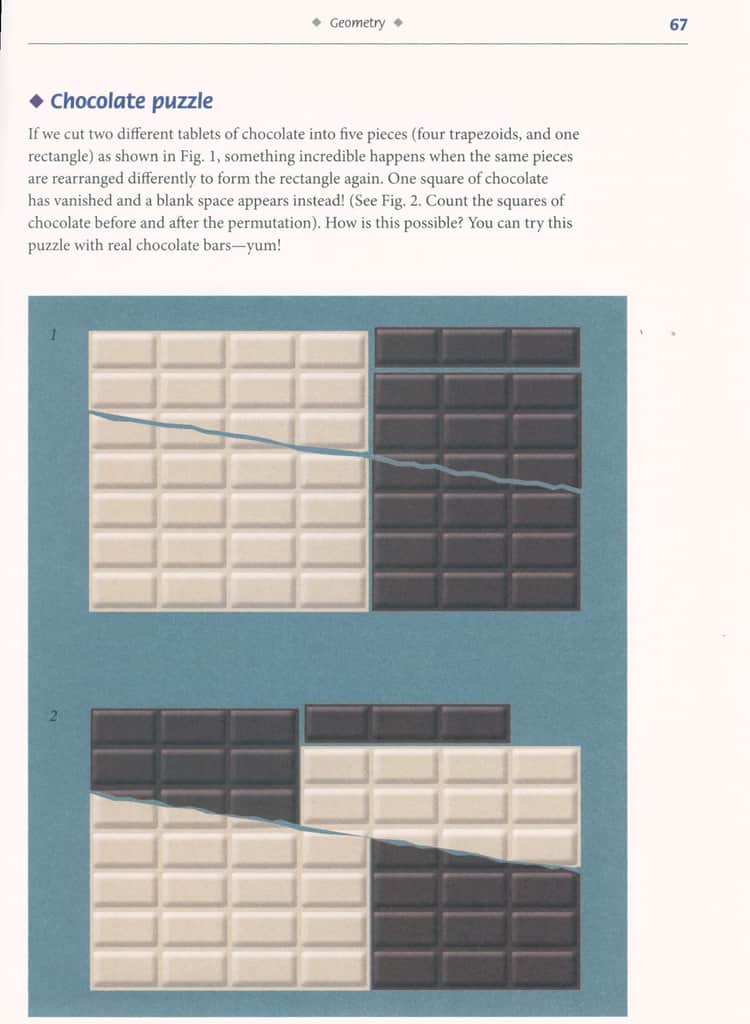
Or perhaps you would rather eat the puzzle? Try the chocolate puzzle with real chocolate bars and enjoy them once you have solved the puzzle!
Smullyan, Raymond M. 2009. Satan, Cantor and infinity : mind-boggling puzzles. Mineola, NY : Dover Publications. Engineering Library QA 95 .S5 2009
Szpior, George. 2010. A mathematical medley : fifty easy pieces on mathematics. Providence, R.I. : American Mathematical Society. Engineering Library QA93 .S973 2010
Gardner, Martin. Hexaflexagons, probability paradoxes, and the tower of Hanoi. 2008. Cambridge ; New York : Cambridge University Press. Engineering Library QA95 .G247 2008
Sarcone, Gianni A. 2013. Impossible folding puzzles and other mathematical paradoxes. Mineola, New York : Dover Publications. Engineering Library QA95 .S315 2013
Gardner, Martin. 2008. Origami, Eleusis, and the Soma cube: Martin Garnder’s mathematical diversions. Cambridge ; New York : Cambridge University Press. Engineering Library AQ95 .G2975 2008
If you are like me and are driving through a rock tunnel (like the one below in Custer State Park, South Dakota), you might be amazed at how sturdy it is and a little afraid of the “Falling Rock” sign. But, again, if you are like me, you’ve probably not given more than a passing thought to how the tunnel was created and what keeps it from collapsing…
Part of the answer is “rock bolting.” According to dictionary.com, the term “rock bolt” was first recorded between 1955 and 1960 and is the “steel or fiberglass bolt inserted and anchored in a hole drilled in rock to prevent caving of the roof of a tunnel or subterranean chamber.” The use of rock bolts goes back much further than 1955, however. The use of rockbolts was documented at the end of the 1800s, and in the 1900s, it was introduced in coal mines.
And, in November 1930, the Detroit-Windsor Tunnel was dedicated. It is a 5,160-foot-long tunnel between the cities of Detroit, Michigan, and the Canadian city of Windsor, Ontario. The first passenger car to drive through it was a 1929 Studebaker. The first Michigan-to-Canada tunnel opened in 1891 – the 6,000-foot-long Grand Trunk Railway Tunnel. During the first 9 weeks the Detroit-Windsor Tunnel was open nearly 200,000 cars passed through it. Today, around 9 million vehicles use it each year!
On December 1st, 1990 workers – 132 feet below the English Channel – drilled a car-sized opening through a wall of rock! The “Chunnel” (Channel Tunnel) connects Great Britain with the European mainland. It took nearly 13,000 workers four years to dig 95 miles of tunnel. The average depth of which is 150 feet below sea level. The cost? $15 billion….
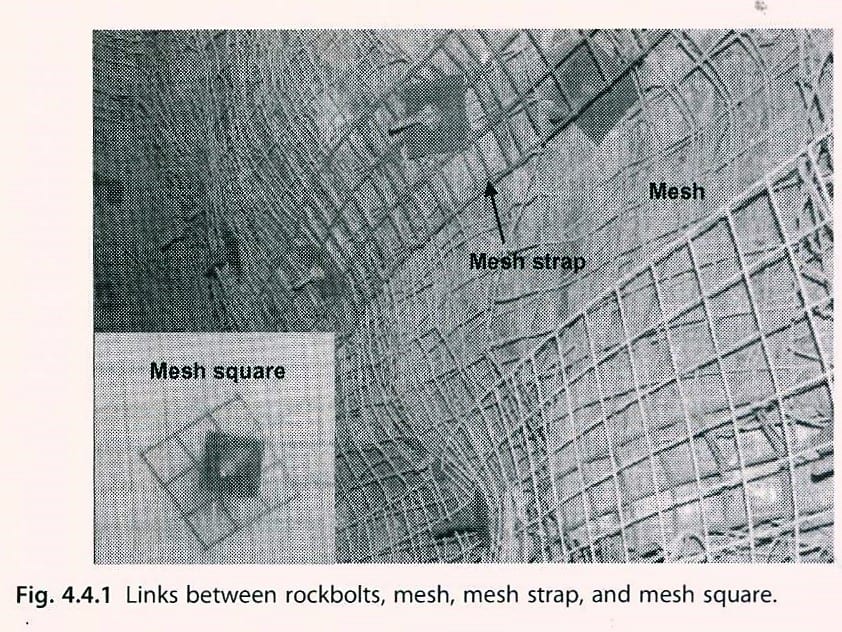
As one might expect, the process of rockbolting is complicated and there are different types of rock bolts for different situations. The reinforcement function of a rockbolt depends on the load carried on the bearing plate. That loading pattern is dependent on rock mass quality, rock joint pattern, rock stresses, and the anchoring mechanisms of the bolt.
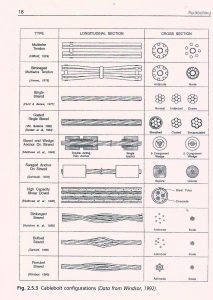
Rockbolts are generally made of steel and their design is based on how they are used. Some typical rockbolts include the mechanical rockbolt, slot-and-wedge rockbolt, and a grouted rockbolt. There is even an inflatable rockbolt! For more information on these, and many more, refer to the chart (left) and our resource Rockbolting: Principles and Applications.
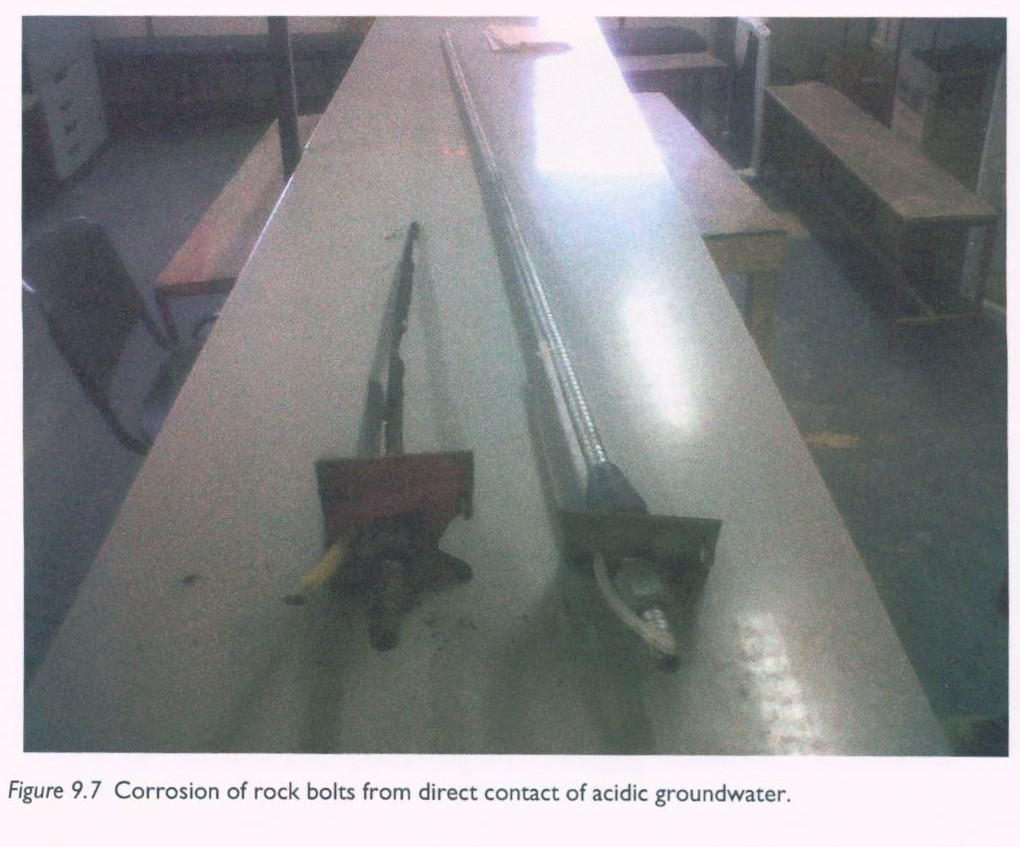
Rockbolts do fail – especially during dynamic load shifts, often after a rockburst (a sudden, violent, rock fracture). For a quick look at a rockburst check out this video! Needless to say, there is a lot of quality control and testing which must happen with rockbolts. The quality and composition of the steel used in rockbolts is obviously critically important. There are also design proof tests, and viscosity tests of the cementitious grout. Along with the quality control on the mechanical properties of the rockbolt, there are many tests that are done on-site. These include pull tests, proof tests, and the inspection of boreholes.
If you are thinking of building a rock tunnel, there is, not surprisingly, lots of pre-planning, site investigations and testing that must be done before the actual building can begin. Practical Guide to Rock Tunnelingis just that, a guide explaining the planning process and what needs to be taken care of – including the design, drainage requirements, rock strength, and practical considerations (among many others!). It is full of photos – many in color – of the various stages of tunneling and the equipment used. There are also a number of tables and graphs detailing everything from historical failures of hydraulic pressure tunnels (figure 6.3) to a critical path construction schedule example (figure 14.1) to a risk matrix for quantitative assessment (16.3).
Whether you are planning a career in tunnel building – or thinking ahead to tunneling out of a snow fort this winter – be sure to check our resources. We’ll help you dig through . . .
International Symposium on rock Fragmentation by Blasting. A.T. Spathis. 2013. Tunnelling in rock by drilling and blasting : workshop hosted by Fragblast 10 : the 10th International Symposium on Rock Fragmentation by Blasting, New Delhi, India, 24-25 November, 2012. Boca Raton : CRC Press. Engineering Library TA800 .I58 2012.
1930, Detroit-Windsor Tunnel is Dedicated. This Day in History. November 1. History. A&E Networks. Date Accessed: January 2018
Kaiser, Peter, K.; Ming Cai. 2015. Design of rock support system under rockburst condition. Journal of Rock Mechanics and Geotechnical Engineering. vol. 4, issue3, 25 Sept. 2012, pgs 215-227. Science Direct .
rock bolt: Word origin: 1st recorded in 1955-60. noun, Mining, Civil Engineering. 1. a steel or fiberglass bolt inserted and anchored in a hole drilled in rock to prevent caving of the roof of a tunnel or subterranean chamber. — dictionary.com
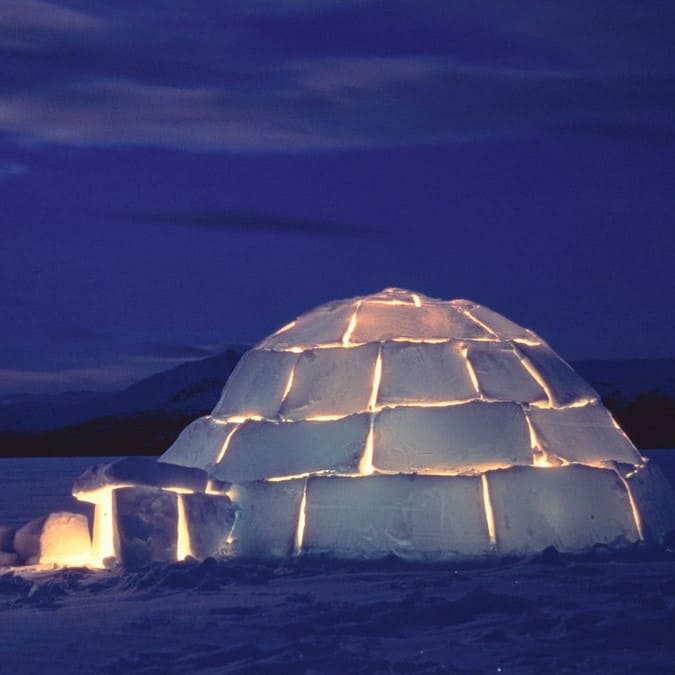
So, it’s winter. You are tired of being cooped up inside. You need exercise (and not on a treadmill). You need fresh air. Got snow? Why not build an igloo?
A great way to spend some time in the great outdoors – fresh air, exercise – fun with your family and friends! So, let’s get started!
According to Norbert E. Yankielun, author of How to Build An Igloo and Other Snow Shelters, the first thing to do is “make friends with winter.” Which makes sense since you’ll be outside working with snow – it’s cold out there and you don’t want frostbite, dehydration, or hypothermia. To protect yourself, you’ll want to be sure to have the right clothing, nutrition, and water. You may already know that several layers of clothing are the best way to insulate yourself from losing body heat. But, you do want to avoid wearing cotton clothing because it absorbs and holds water and moisture. Similarly, you’ll want to wear mittens (which are warmer than gloves) that have a waterproof shell to keep your hands dry. And, don’t forget the sunscreen and UV-blocking sunglasses or goggles – the sun glaring off white snow intensifies the damage to skin and eyes.
So, what else do you need to know to make your own backyard igloo? It is possible to build an igloo by yourself – but what fun would that be? It is also much safer to build with another person. If you are building in an urban setting there are some “don’ts” about which you should know. Avoid the piles of snow near parking lots, streets, driveways, etc., a plow driver could easily mistake an igloo for another pile of snow. You also don’t want to build too close to parking lots, roadways, or driveways to avoid the possibility of car exhaust and carbon monoxide poisoning.
So, you have a safe spot picked out and a group of your friends/family. What else do you need?
Snow. You have to have snow to build an igloo (obviously). There are lots of different types of snow – which are beyond the scope of this blog. What you want for a good, strong igloo is sintered snow. Sintering is what happens when you compress snow into a snowball – it squashes the flakes, briefly melting the edges and then re-freezing into a snow mass. It also occurs when snow goes through melt and freeze cycles. Don’t have sintered snow in your yard? Stomping the snow underfoot is one of the easiest ways to create the snow blocks you’ll need for your igloo.
Now, what tools do you need? For the recreational igloo builder, ordinary tools will suffice. A carpenter’s saw will work nicely to cut blocks of snow – but cutting snow will ruin the blade for much of anything else. Buy an old blade at a garage sale! A flat-handled show shovel – the kind used for clearing sidewalks and drives – works great (avoid the “pusher” type shovels). The ideal shovel is a grain scoop…
You are with your family and friends, have snow, are dressed in layers and have assembled your equipment. What’s next?
Once you find a nice, flat area for your igloo, you’ll need to size your igloo and flatten the floor. An igloo large enough for 2-3 people should have a diameter of at least 6 feet. Have ski poles? Plant one to use as the center and use the other to draw the circle around it. Or for more fun, have the tallest person in your group make a snow angel – that will give you approximately the right sized igloo for two people! Then if you all get together and stomp around inside the circle, you’ll tromp down the snow into a nice foundation!
If you have sintered snow, take your saw and start cutting your blocks! Blocks need to be the same size and it is suggested they be about 18 to 24 inches long, 9 to 12 inches thick, and 12 to 18 inches tall.
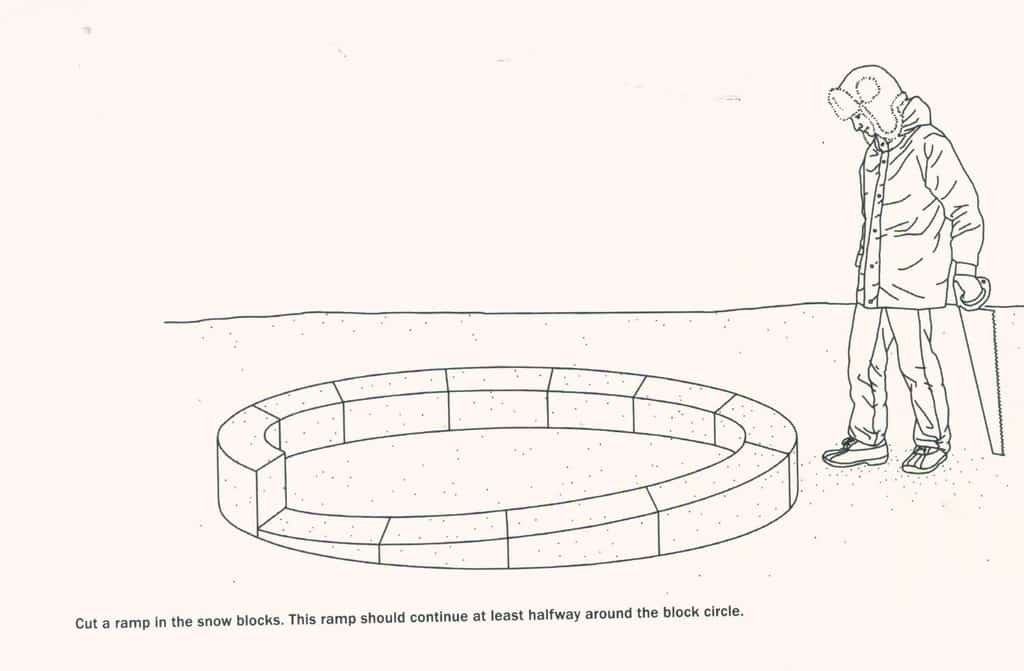
Don’t have sintered snow? No worries, you can also use a clean bucket, or storage tub and pack the snow in that. When you turn it upside down you have your snow block! Got those ice blocks made? Time to start building that igloo! Place them, edge-to-edge, on your circle. Once you have the first layer made, you’ll want to cut the blocks into a ramp which should go at least halfway around the block circle. Now you can begin stacking the blocks on the ramp base. You’ll probably have to cut the edges of the blocks so they will fit tightly together. In order to form a stronger structure, you’ll want to be sure the block bridges the seam of the two blocks beneath it. It is helpful to have one person inside the igloo to help place and shape the blocks and to help place the cap block (or King Block) on the top of the igloo! The cap block has to be carefully shaped so it will support the inward leaning of the walls.
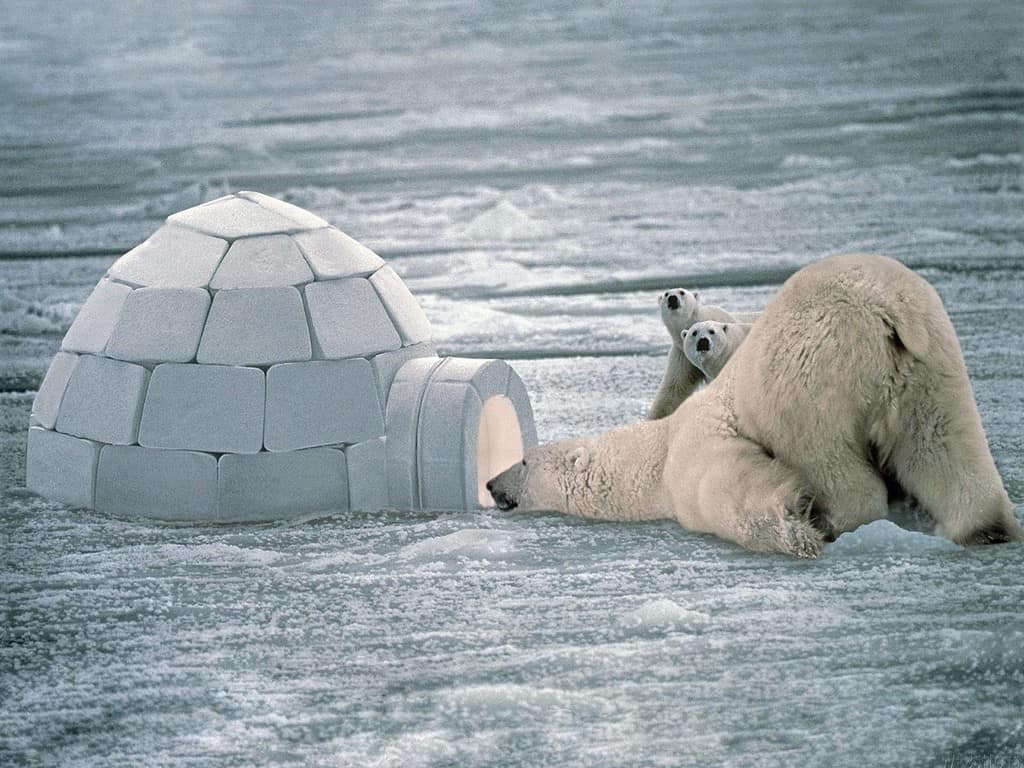
Yes, you have now enclosed one of your party inside the igloo with no way out! Making the entrance before the dome is complete weakens the entire structure, so that part of the construction must wait. (Might be a good idea to make sure the person on the inside isn’t claustrophobic!) There are a couple of options to consider when planning your entrance. One option is the “gopher hole.” A gopher hole is basically building a tunnel under the wall of the igloo – an advantage is it helps keep the heat inside the igloo! The other option is a surface entry, which I suspect, is what we think of when we visualize an igloo. It is an arch-shaped entry cut into the side of the igloo. Using an arch shape helps reduce the stress on the shell of the igloo when creating a hole in the wall. It shouldn’t be larger than 2’x2′ – just large enough to crawl through.
These are the basics of igloo building – be sure to check our resources before you start your own! Learn from the experts!
There are other types of snow shelters: quinzees (a hollowed out, dome-shaped mound of well sintered snow); slab shelters (looks like a pup-tent or A-frame); drift caves (similar to a quinzee – only in a hollowed snow drift); and spruce traps (using the umbrella of a spruce, pine, or other evergreen tree as a shelter). How to Build an Igloo and Other Show Shelters is a great source of information about these shelters and how to build them!
How many cups of coffee will be made in the Engineering Library during Finals Week?
Make a guess & win an official Lichtenberger Engineering Library Travel Mug!!
Don’t forget we have extended hours!
Sunday, December 10th, from 2:00 p.m. to midnight
Monday through Thursday, December 11th through 14th, 8:30 a.m. to midnight
Friday, December 15th, 8:30 a.m. to 5:00 p.m.
Post your guess on Facebook or Twitter by 6:00 p.m. on December 13th! Use #uienglibcoffee to post your guess! If your guess is the closest to how much we actually serve, you will win a new Lichtenberger Engineering Library travel mug! You don’t want to miss out on winning this amazing travel mug – be the envy of all your classmates!
Good Luck!!
Twitter: @UIEngLib
FB: UI Lichtenberger Engineering Library
Contest open to University of Iowa students, faculty and staff. Only one guess per person.
Are you finding that you are having trouble concentrating when you try and study in your room? Too many distractions? The couch and TV or gaming system just too close? Or that nice, soft, comfy bed? Let us help!
Extended Hours
Sunday, December 10th: 2:00 p.m. to Midnight
Monday, December 11th through Thursday, December 14th: 8:30 a.m. to Midnight
Friday, December 15th: 8:30 a.m. to 6:00 p.m.
Saturday and Sunday, December 16th and 17th: Closed
And, to help you stay awake and focused – we’ll be providing FREE coffee, hot chocolate, and hot cider throughout the week (while supplies last!!)
Please bring your own mug – Mother Earth will thank you!
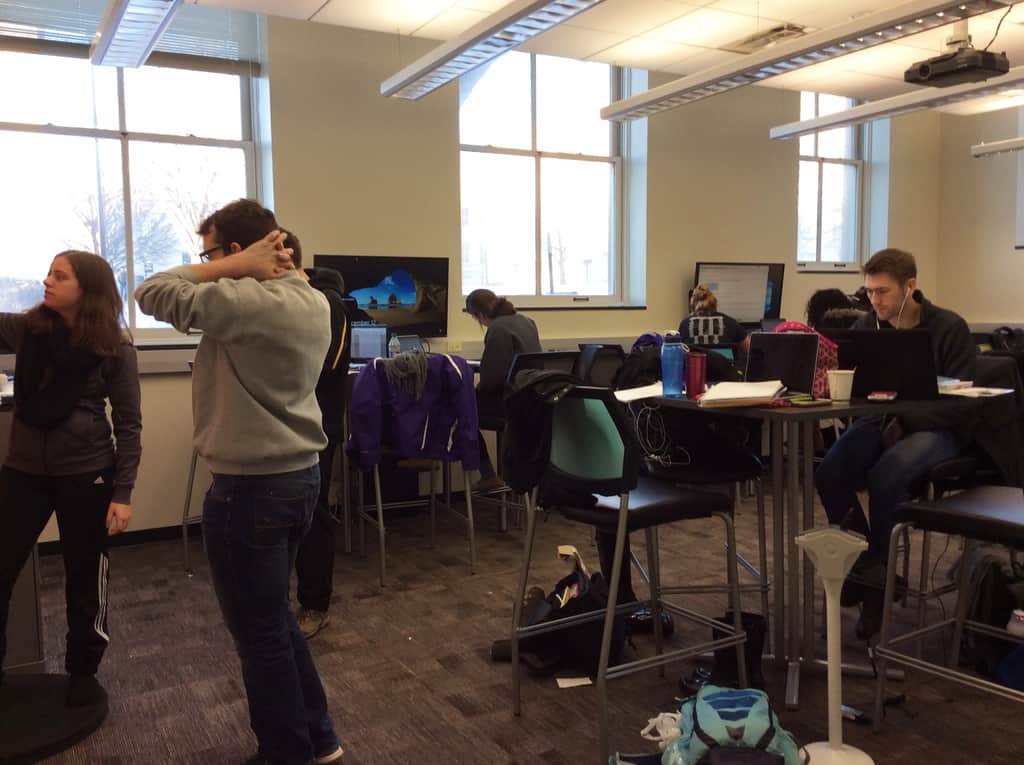
We have plenty of space for both individual and group study. We have 2 group study pods with white boards, and pod 1 has MediaScape®. Instructions for reserving the study pods are here on our webpage.
The Creative Space is also available for group or individual study! We have two 4-person collaboration tables with 43 inch (4K) quad monitors, 4 modeling stations, and 5 dry erase boards! There is room to spread out and work collaboratively on that final project!
And, don’t forget the lower level of the library is a dedicated quiet space! We have study carrels (with lights & electrical outlets), easy chairs, bean bag chairs, and gamer chairs. You’ll be able to find the perfect spot to focus and concentrate.
We also have tools and cables in the Tool Library. Need a calculator? You can check one out! And we have cables and chargers in case your laptop battery runs low!
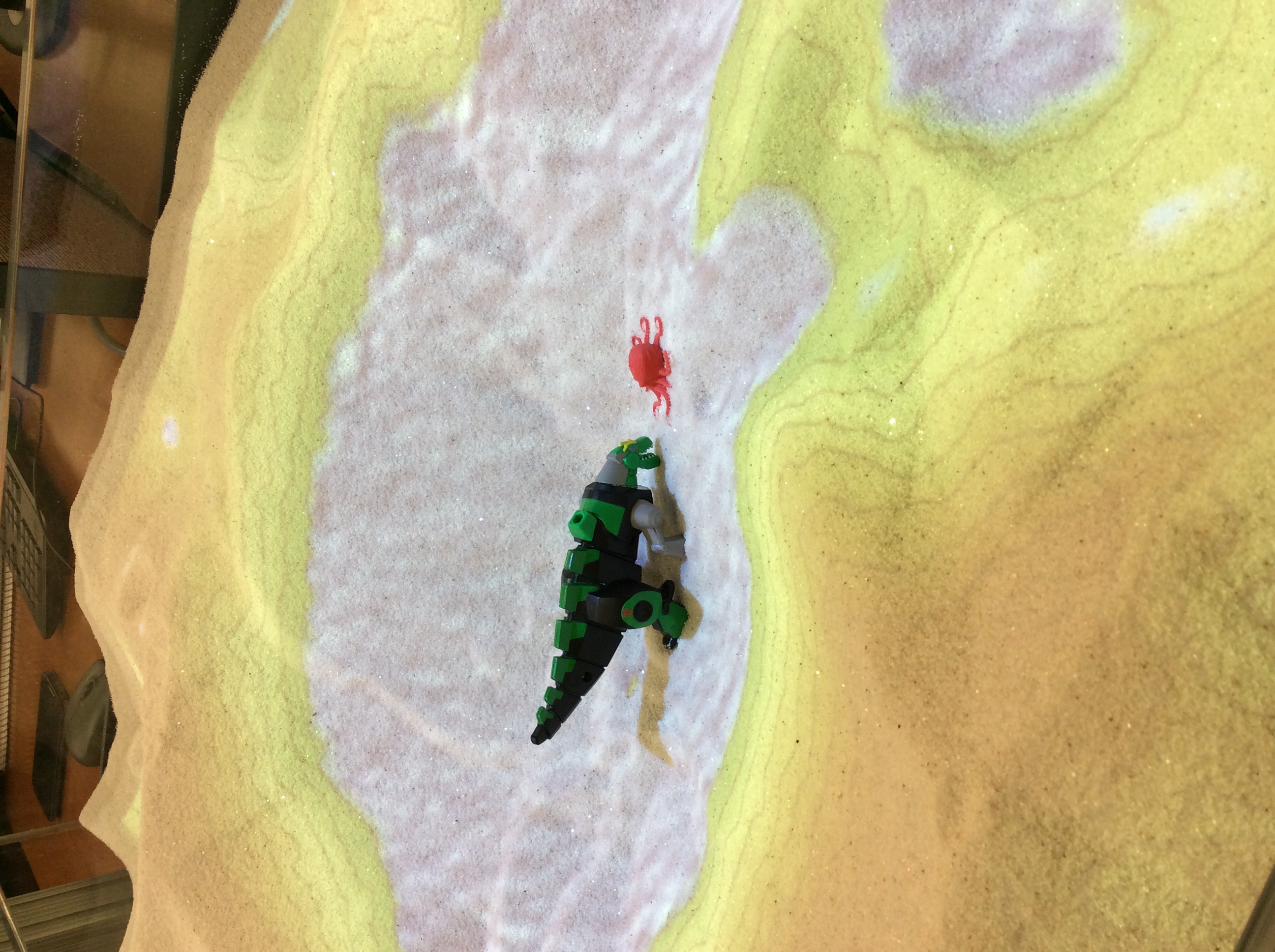
Stress getting to you? Need a break to help clear your mind? We’ve got you covered there, too! We have Color by Number – Engineering Style grids, LEGOs®, and this year we have an augmented reality sand table! Perfect for giving your mind a break!