Each week we will highlight one of the many databases we have here at the Pomerantz Business Library.
The database: Global Financial Data (GFD)
Global Financial Data is a collection of current and historical financial and economic data for over 200 countries, provided in ASCII or Excel format.
Where to find it: You can find it here, and under “G” on Databases A to Z page. Note: Users must authenticate with their HawkID and then log in to GFD.
Use it to find:
- Time series data on a range of financial topics including US stocks, commodities, interest rates, exchange rates, international trade, etc.
- Data on social and governmental indicators such as health, income distribution, infrastructure, energy, etc.
- International data sources include Eurostat and the World Bank.
Tips for searching:
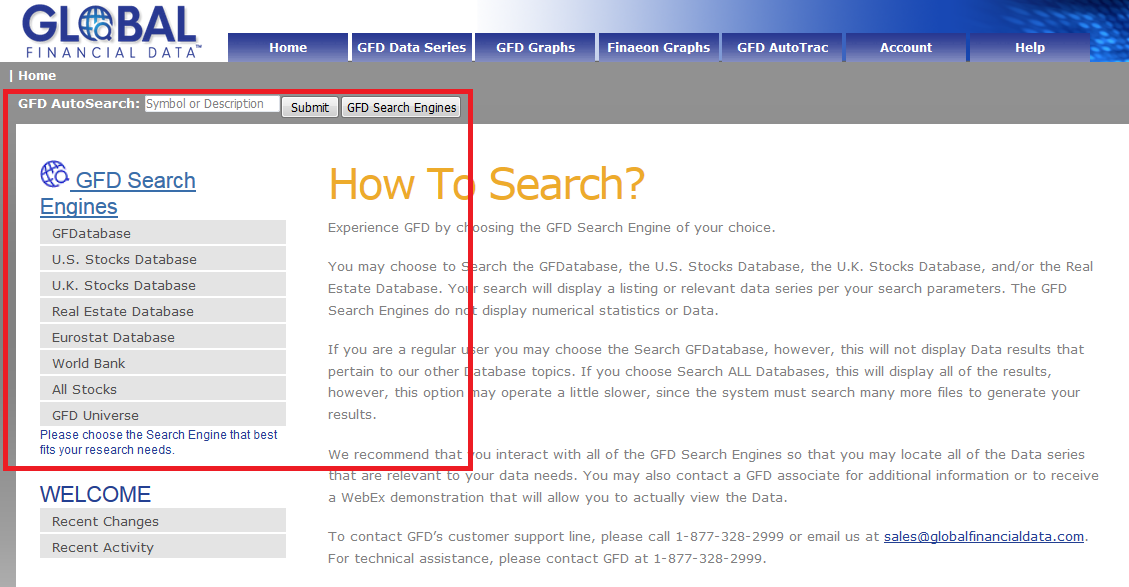
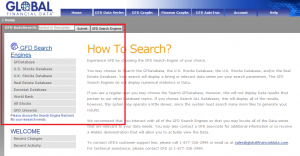
- The options for searching GFD are found on the left side of the screen (see image above).
- GFD Keyword Search allows for searching based on name (company, country, etc.), symbol, CUSIP, SIC, or NAICS.
- Hover over the title of a given data set to get a detailed description.
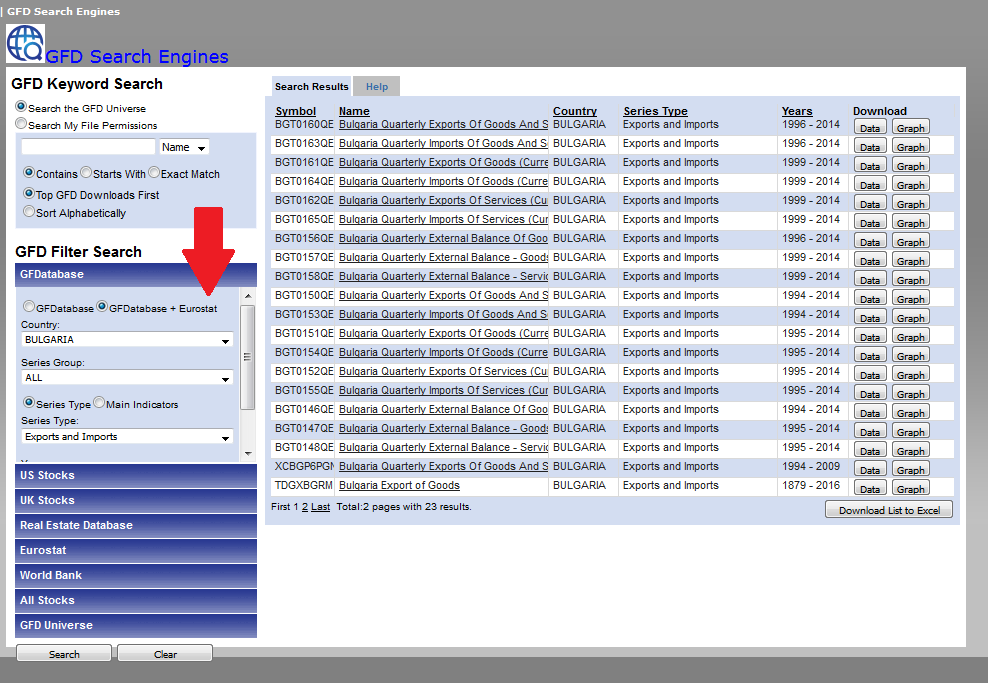
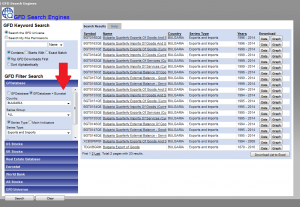
- GFD Filter Search allows users to narrow their search parameters before initiating a search. Parameters that can be adjusted include country, region, time period, data source, etc.
To browse data series available on particular subjects, users can set several parameters, for example country (Bulgaria) and series type (Exports and Imports), and leave the search box empty. This will generate a list of data sources that meet both parameters. Select “GFDatabase + Eurostat” option to get the broadest list of available data.
Downloading Data:
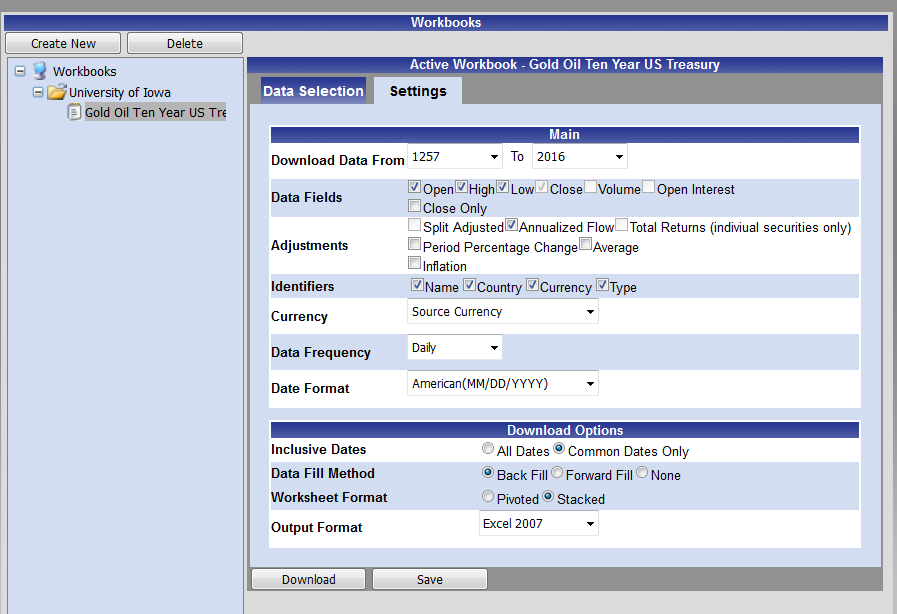
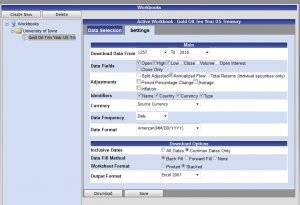
- The GFD AutoTrac feature allows users to gather data series and related settings into Workbooks (see image).
- Once the desired series have been added to a Workbook, users can download the Workbook contents onto their computers.
- The Workbook contents can then be saved within GFD for use at a later time. This makes it easier to obtain updated figures in the future.
- Settings that can be tailored by the user include currency, date range, American or European date format (MM/DD/YYYY or DD/MM/YYYY), etc.
- Data can be downloaded in CSV, XLS, or XLSX formats.
This video from the vendor provides a good overview of the AutoTrac/Workbook functions.
Graphs:
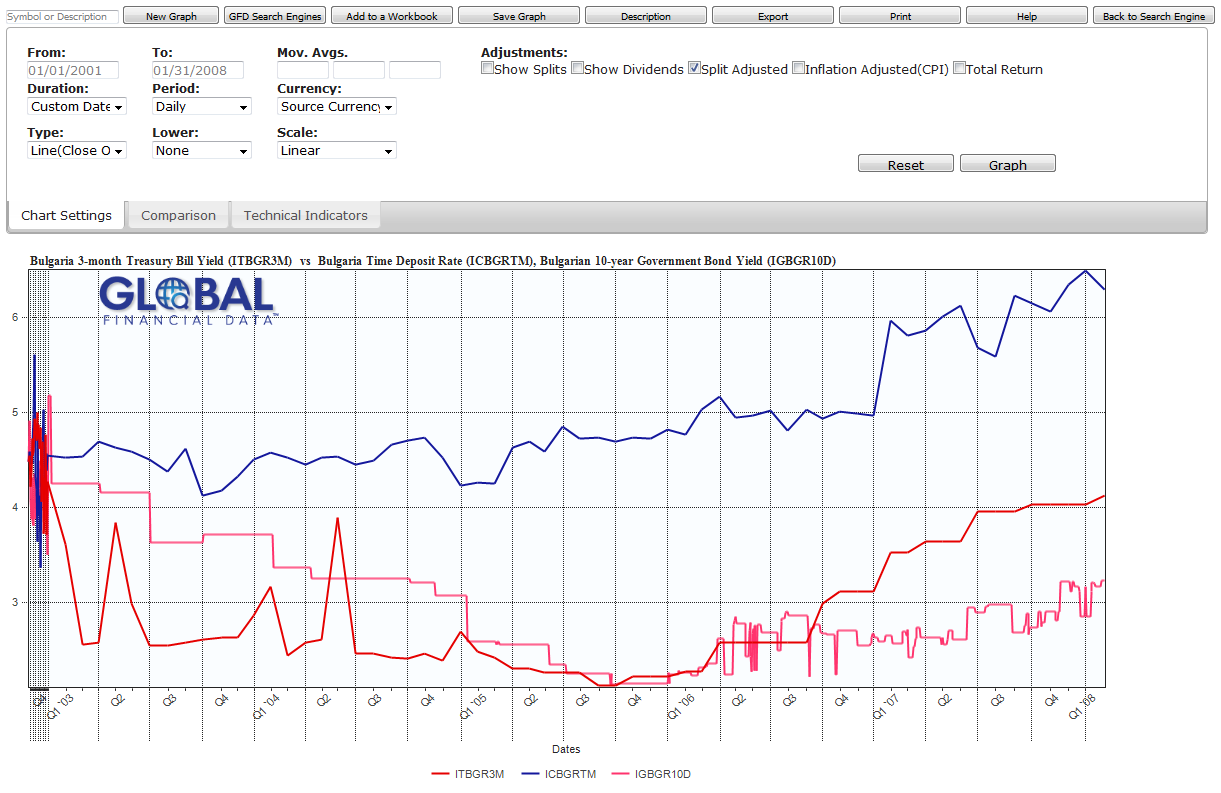
GFD offers built-in graphing features that allow users to generate and customize visual representations of the data found within GFD.
Graphs generated in GFD can be saved to Workbooks or they can be exported in a number of formats (Bitmap, Jpeg, PNG).
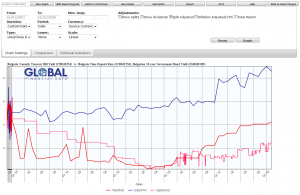
Want help using the Global Financial Data (GFD)? Contact Jim or Kim to set up an appointment.

 PubMed is the National Library of Medicine’s index to the medical literature and includes over 22 million bibliographic citations in life sciences. This one-hour session will show you how to improve your search results by using subject headings (MeSH) and advanced keyword searching techniques.
 Newsfeed: A look back at the “Meet the Manuscript” workshop: http://blog.lib.uiowa.edu/speccoll/2016/06/03/meet-the-manuscript/ Riverside Theater will return to City Park for Pericles June 17-July 10: http://www.riversidetheatre.org/returningtothepark Salisbury House in Des Moines presents King […]
 By Heather Wacha 28 beaver fur hats. 6 panels of tapestries. Wool from Flanders. Silks, cloths and linens. Furniture, paintings, and sculptures. Gold and Silver. All manner of carriages. […]
 Curator of Science Fiction and Popular Culture, Peter Balestrieri is featured in the Cover Story of the May/June issue of Archival Outlook from the Society of American Archivists. “Archivists are artists,” […]